
Telephony outcome sets
A telephony outcome set is a collection of possible call outcomes received from the dialer when an attempt is made to contact a customer. These outcomes indicate whether a call was successfully connected, rejected, busy, or failed for various reasons during the dialing process. The system provides standard telephony outcomes expected from the dialer. However, you can modify the configuration to define the next action for a contact based on the outcome settings.
You can create up to 100 telephony outcome sets from the Primary telephony outcome set (created by the system). The telephony outcomes in each set can be customized to suit different campaign requirements. The subset created is then configured within a campaign.
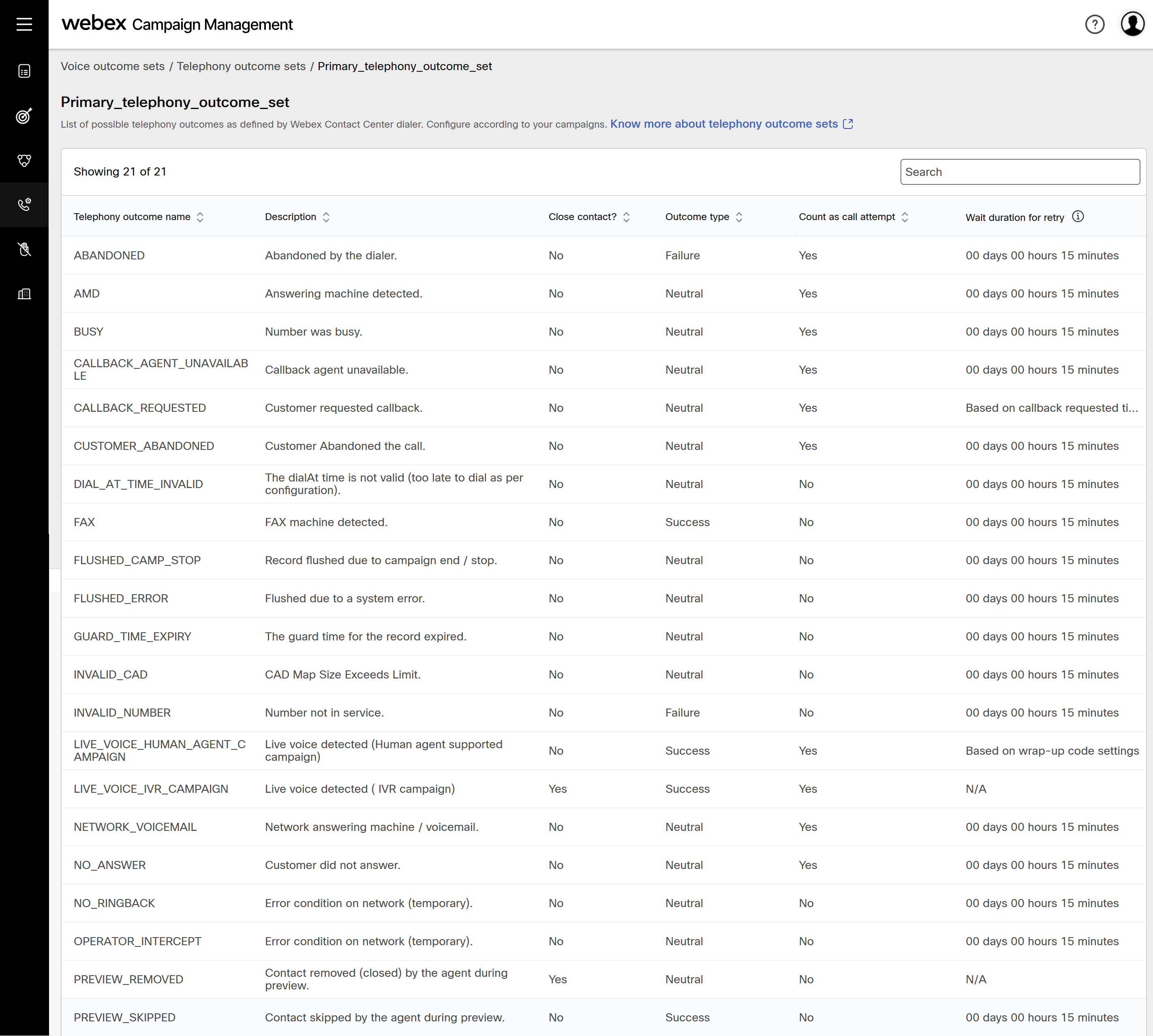
Primary telephony outcome set: This is a system generatedset which has all the possible telephony outcomes within it.
Default telephony outcome set: If you see this set in the telephony outcome settings screen, it means that you were using Campaign manager before this feature went live. This is a default set created to have all the telephony outcomes which were configured previously in your tenant.
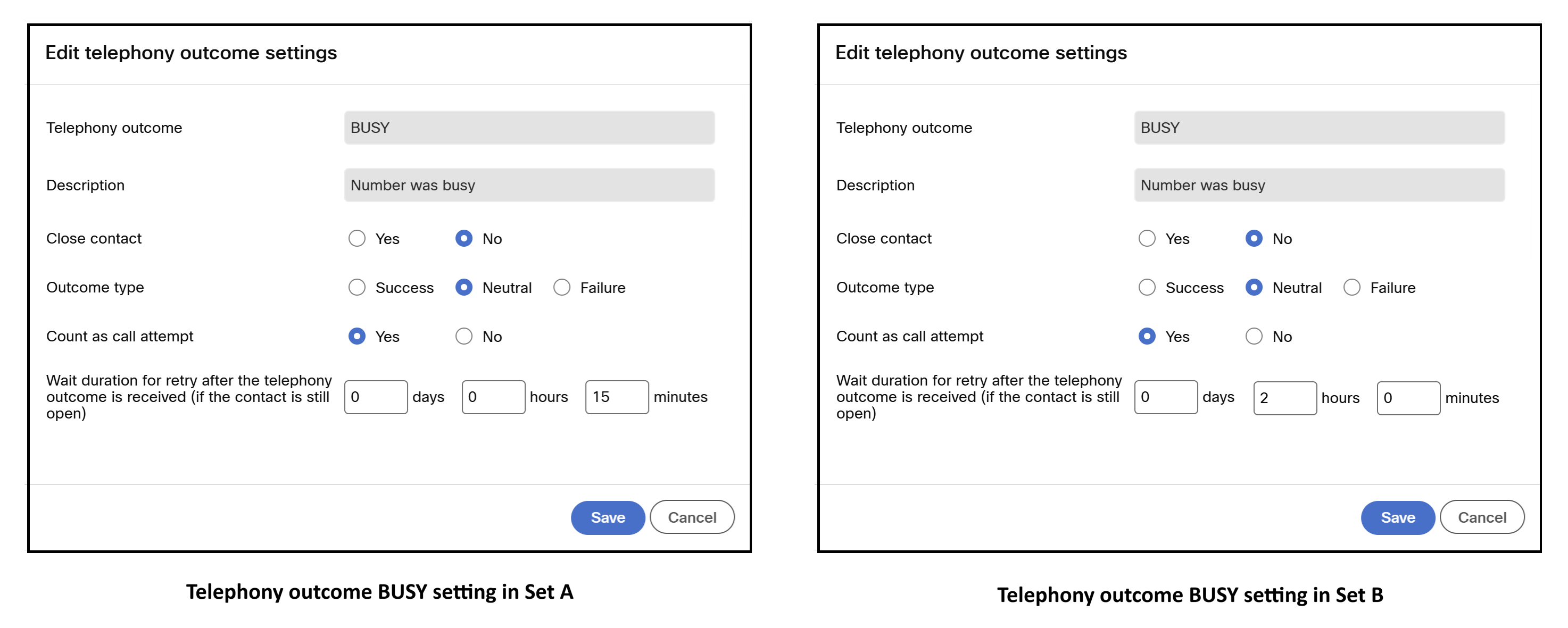
For example, the telephony outcome BUSY in Set A is configured with Wait duration for retry is set to 15 minutes, while the same telephony outcome in Set B is configured with Wait duration for retry is set to 2 hours.
Create a telephony outcome set
Follow these steps to create a telephony outcome set:
- Navigate to Voice outcome sets and click telephony outcomes sets.
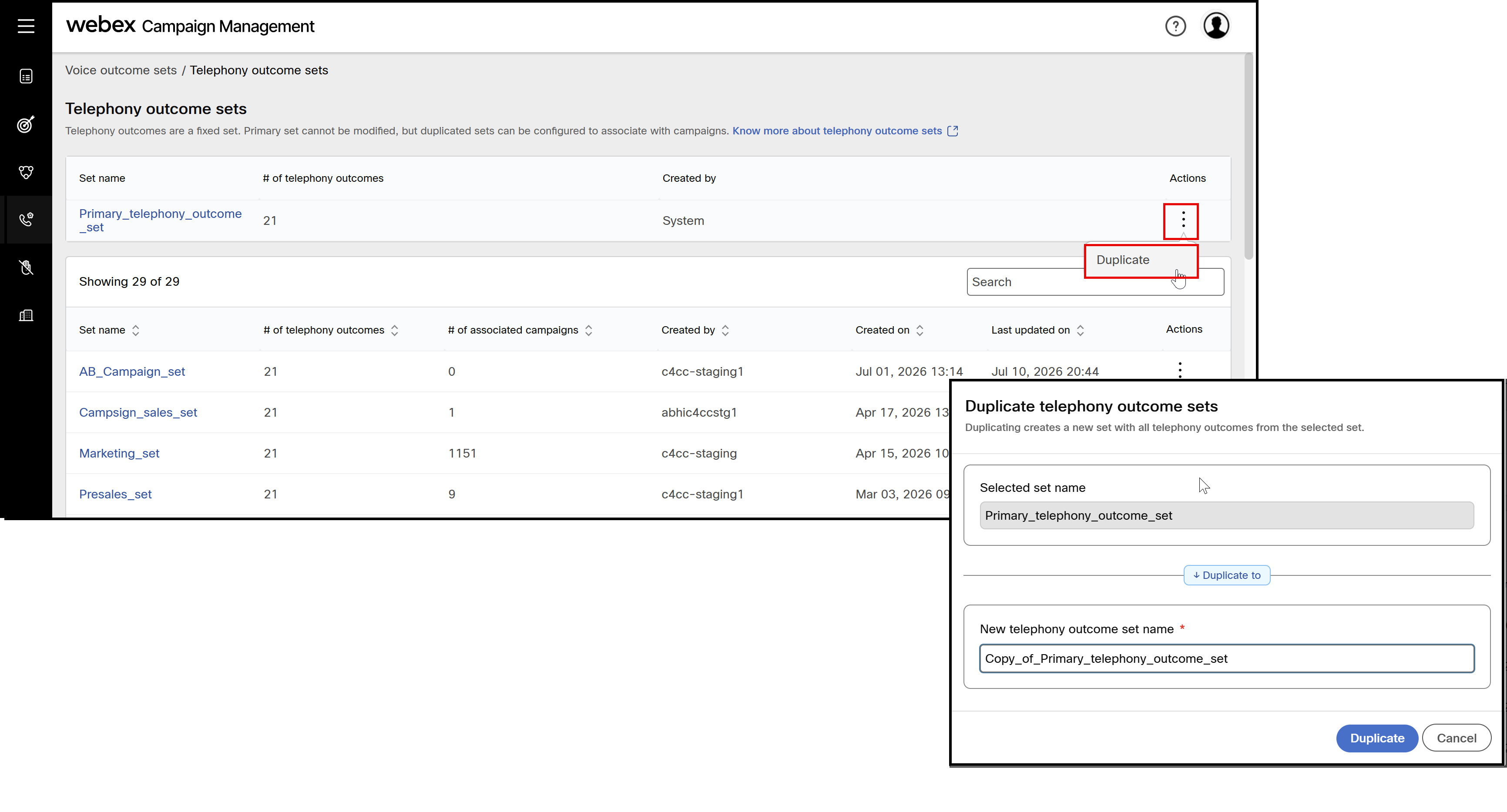
- Click the ellipses icon of the Primary_telephony_outcome_set and click Duplicate.
- Enter a name for the telephony outcome set and click Save.
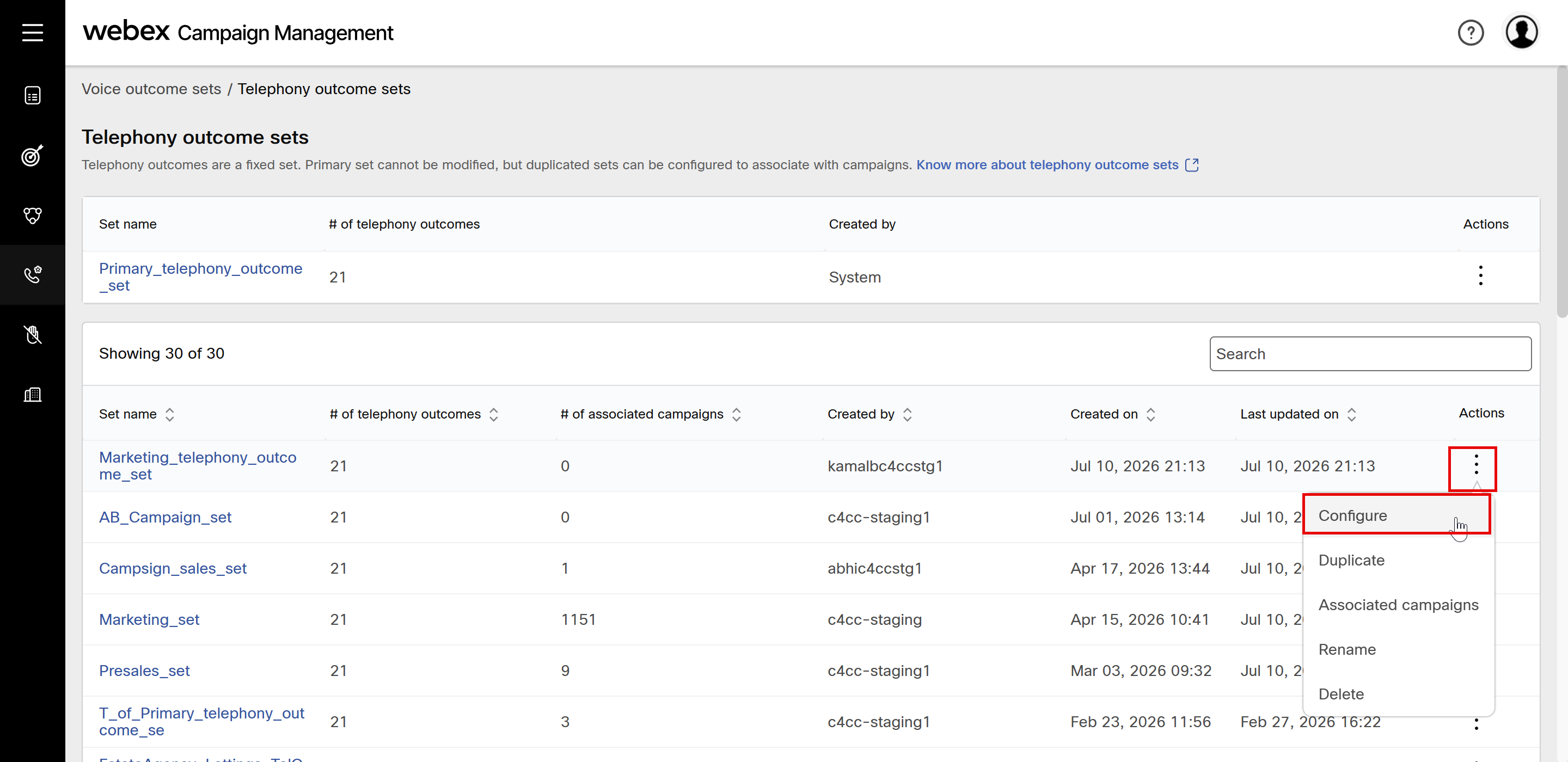
- Click the ellipses icon of the newly added telephone outcome and click Configure.
- The telephony outcome set will display all the outcomes of the set. Click the ellipses icon of the required outcome and click Edit.
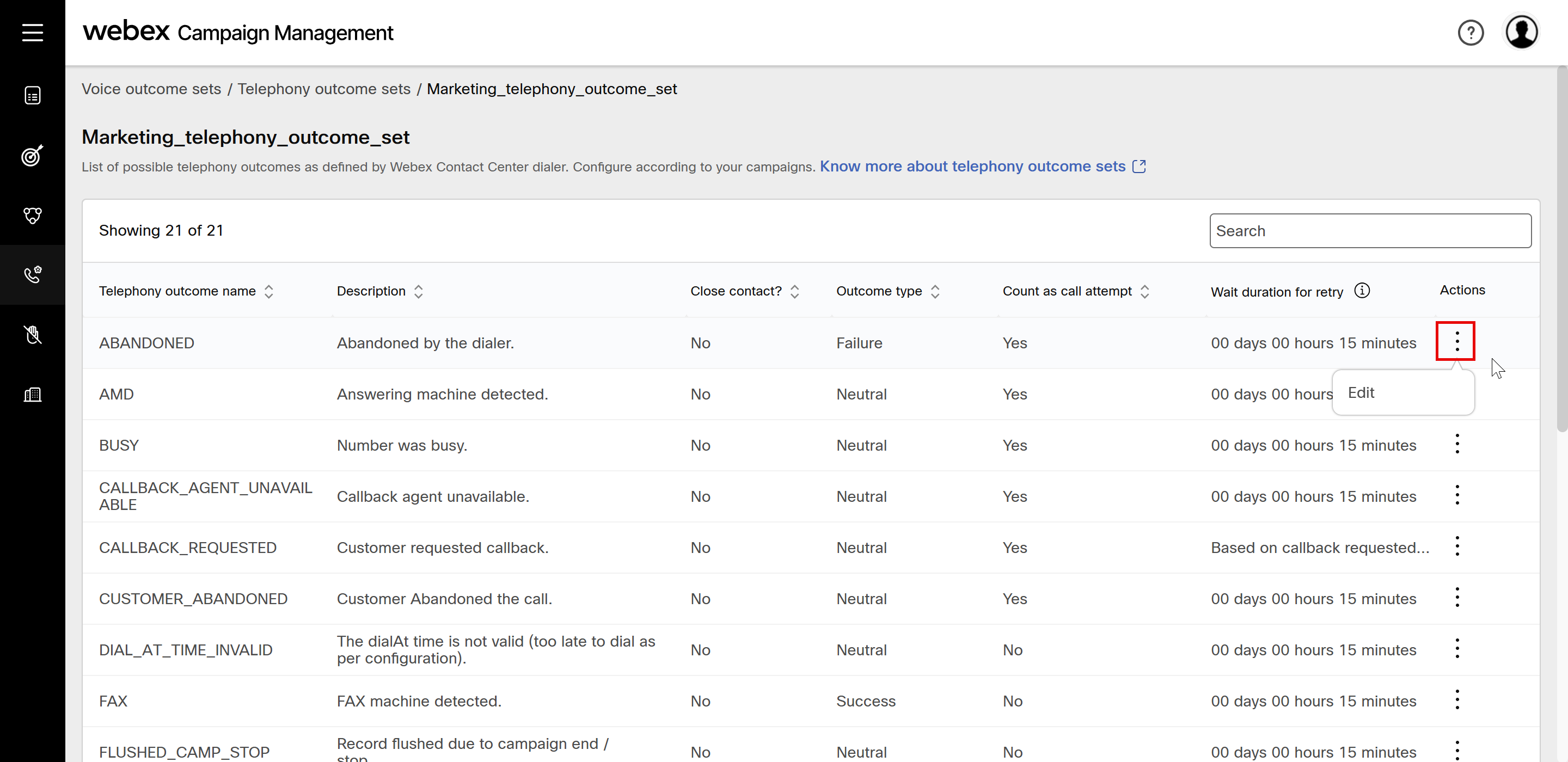
-
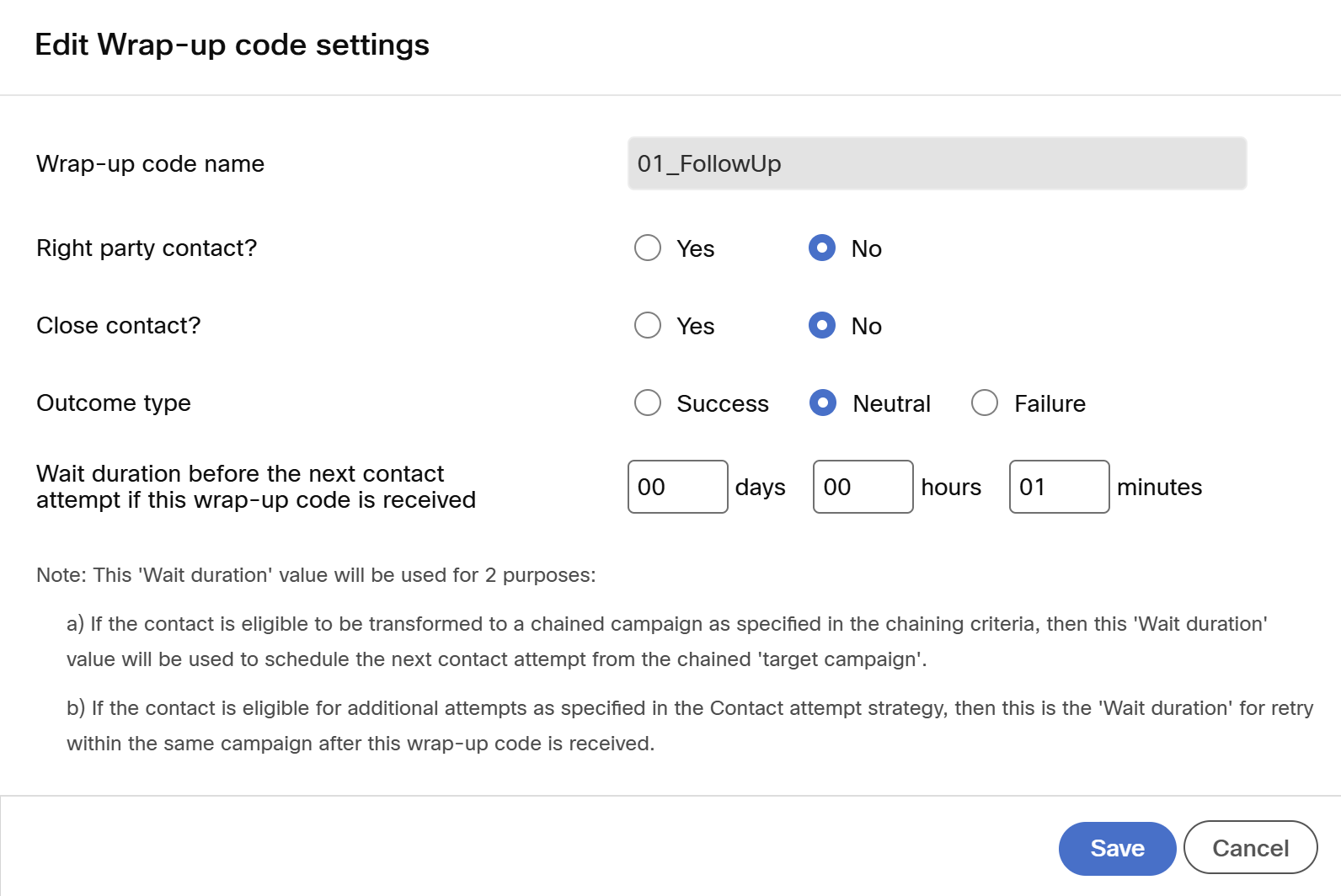
On the Edit telephony outcome settings screen, you can edit the following options.
-
Close contact: Select Yes to close the contact. This will avoid future calls to contacts.
-
Outcome type: Select appropriate outcome type.
-
Count as call attempt: Select appropriate option.
- Yes: If you select this option, then further calls to this contact will be restricted.
- No: If you select this option, then further calls to this contact will be connected
-
Wait duration for retry after the telephony outcome is received (if the contact is still open): Configure the wait time before the next call attempt.
-
-
Click Save.
Duplicate a telephony outcome set
This feature allows you to copy the telephony outcome configuration of one set and apply it to another.
- Click the ellipses icon of the required set and click Duplicate.
- Enter a name for the set and click Duplicate.
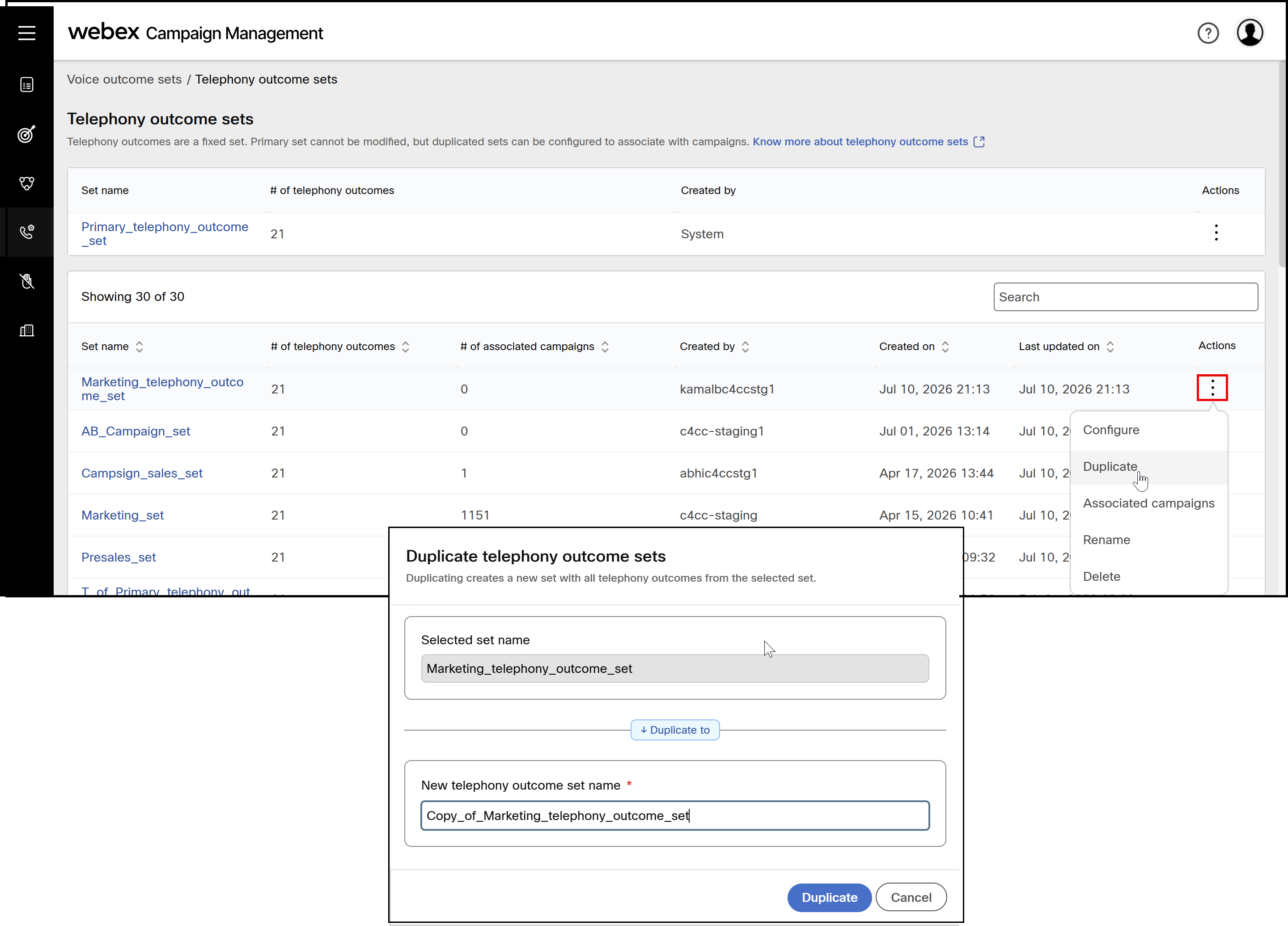
- (Optional) Click the newly created set and edit required telephony outcome setting as needed.
Additional actions for a Telephony outcome set
View campaigns associated with the telephony outcome sets
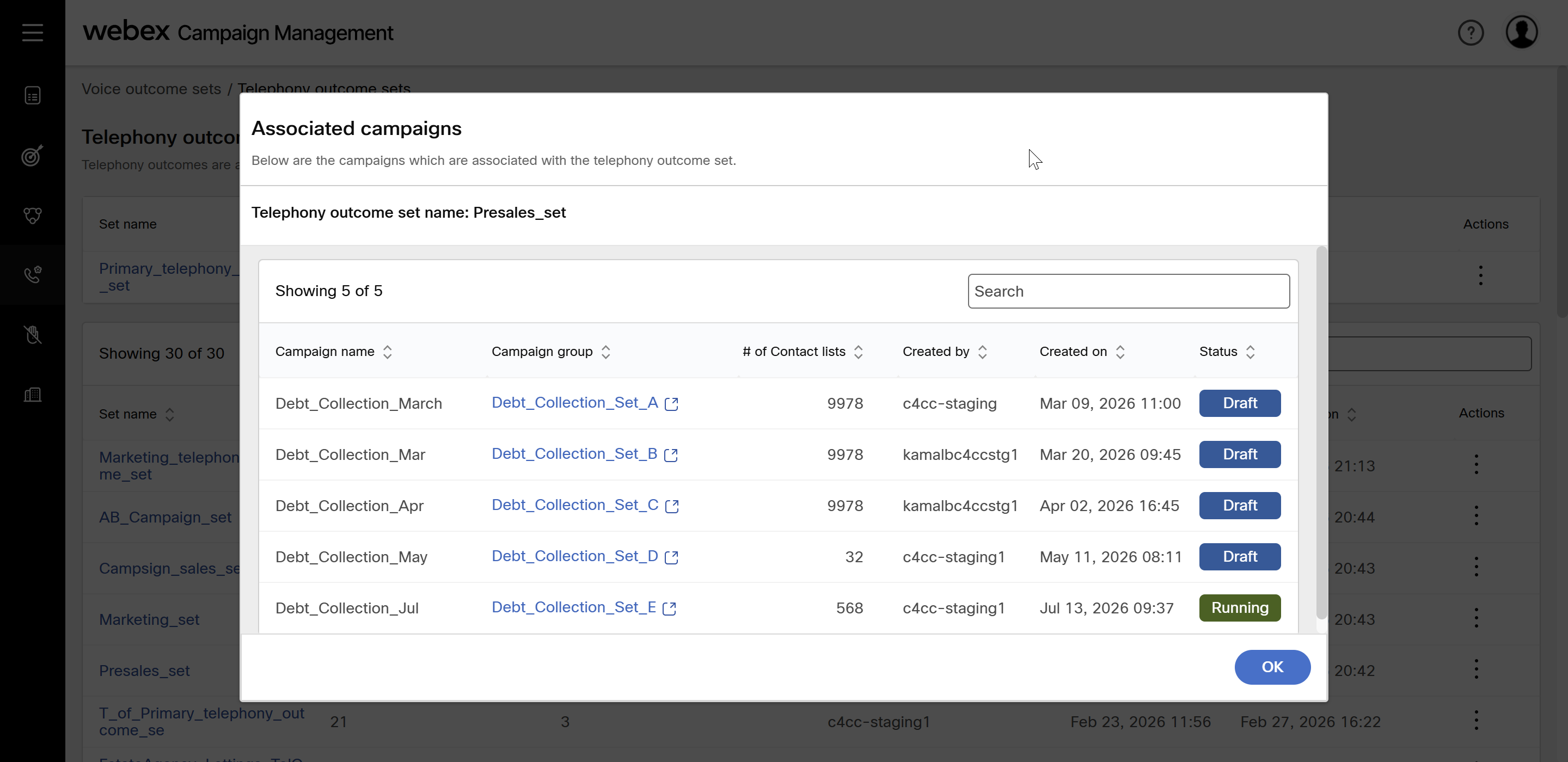
- Click the ellipses icon of the required set and click Associated campaigns.
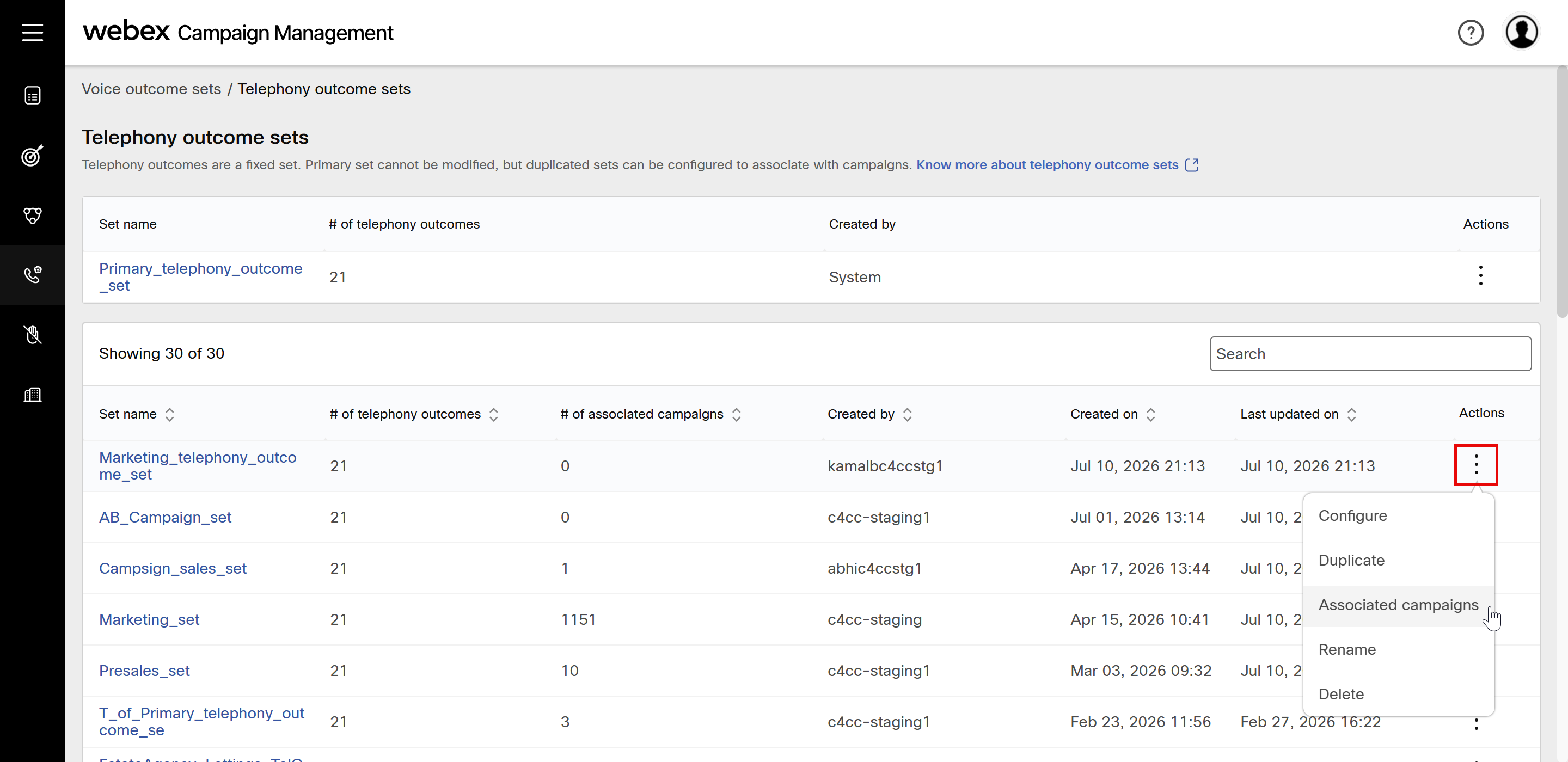
- The screen will display all the campaign status along with the Campaign name, Campaign group, Number of Contact lists, Created by, Created date, and Status.
Delete a telephony outcome set
- Click the ellipses icon of the required set and click Delete.
- A confirmation message appears if campaigns are not associated with the telephony outcome set.
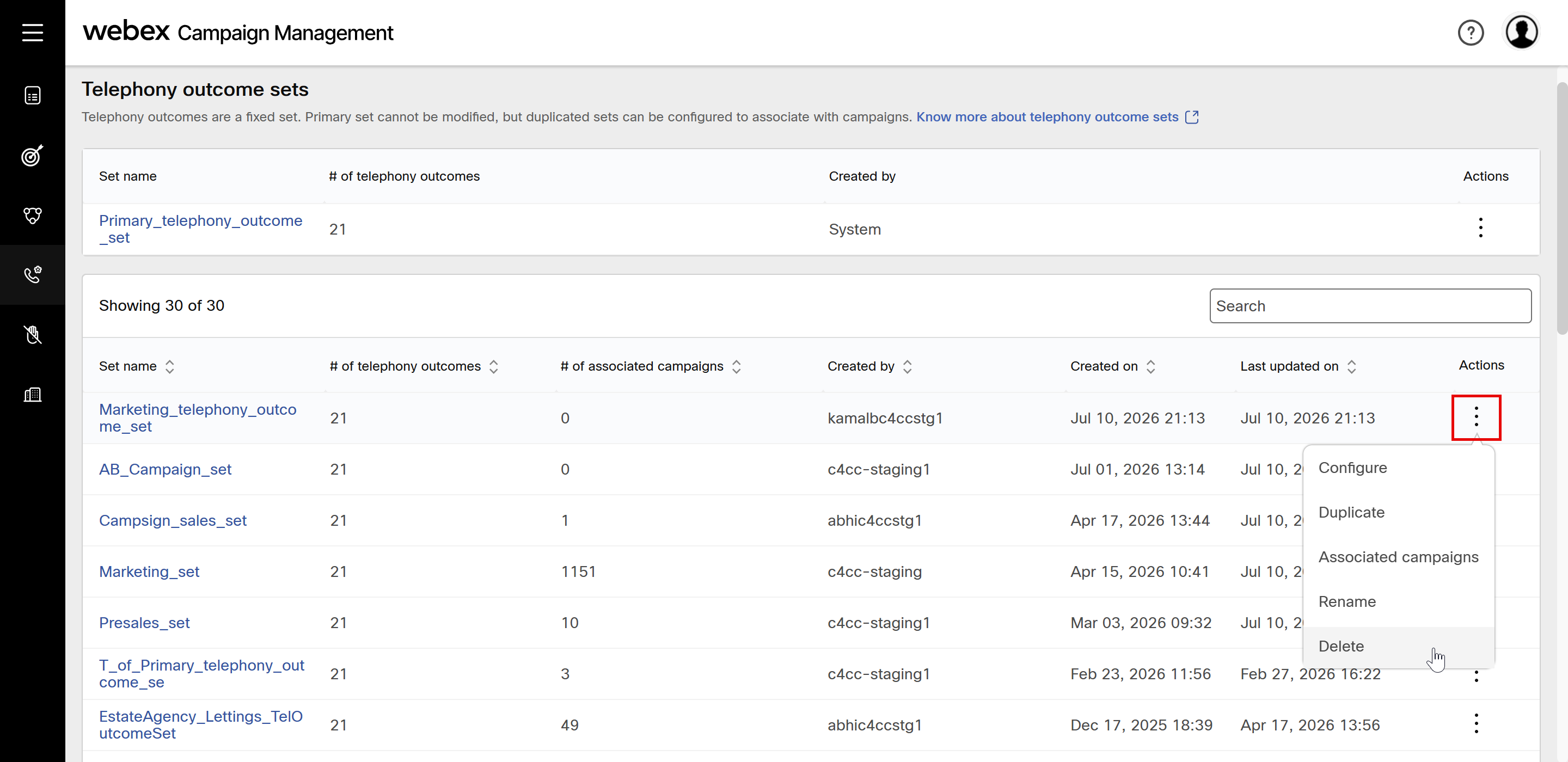
A telephony outcome set cannot be deleted if it is associated with campaigns whose status is running or paused state.
Rename a telephony outcome set
- Click the ellipses icon of the required set and click Rename.
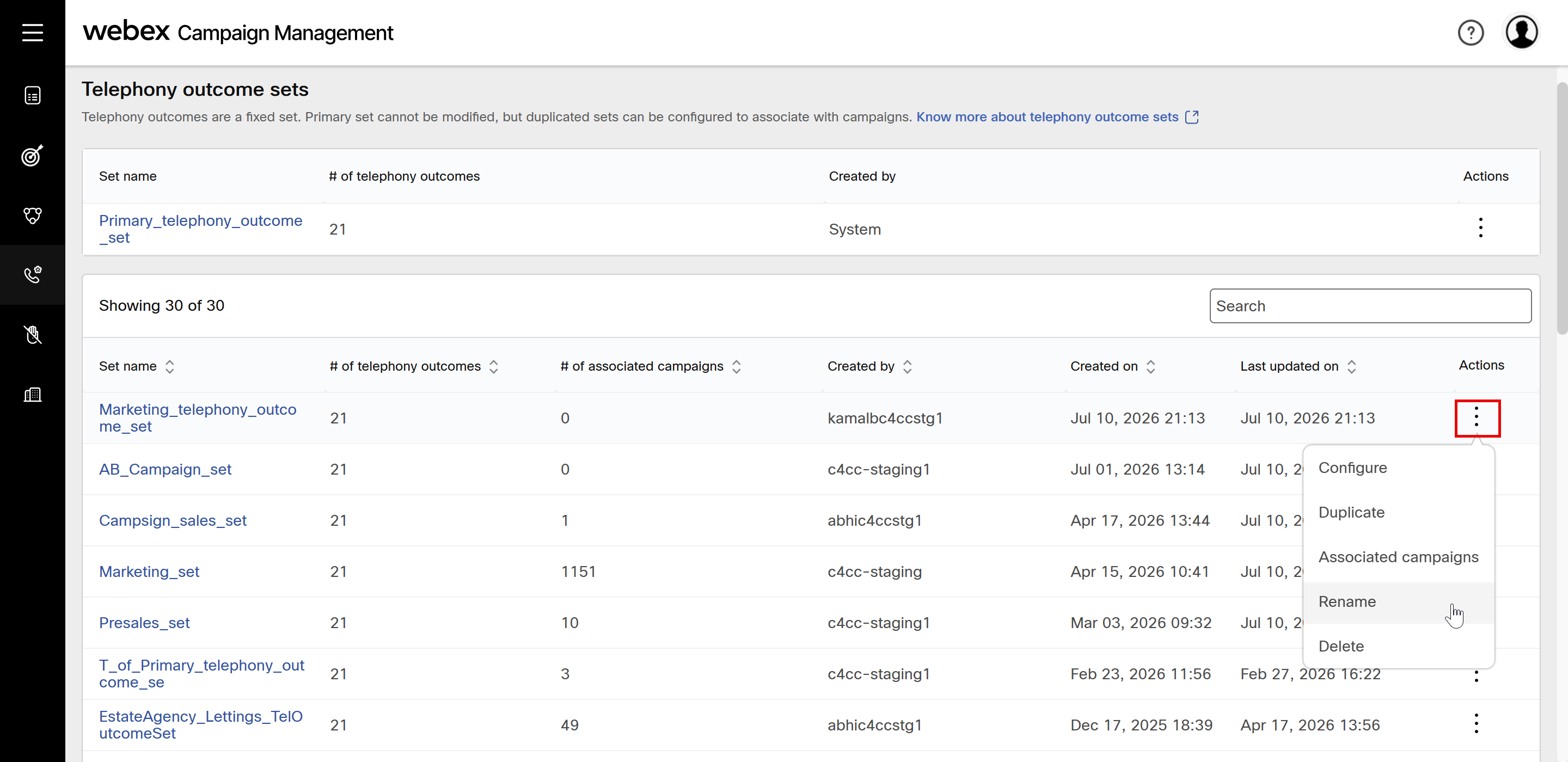
- Enter a name and click Rename.
Updated about 1 month ago