
Contact list management using APIs
Overview
Webex campaign provides contact list management APIs to programmatically create and manage contact lists, automate contact ingestion, and expire contact lists at the campaign end time.
These APIs are available only for customers who have a purchased a subscription to the Webex Campaign Management SKU or who have been provisioned a limited-duration trial account of this add-on module.
Using these APIs, you can automate the ingestion and management of contact data sourced from external lead systems.
- Create contact list
- Create contacts within a contact list
This API will accept the phone number in field mapping format and will store it in E164 format.
- Get contact lists within a campaign
Please use the version v4 of this API as the v3 version will be deprecated over the next few weeks.
- Update a contact's status within a contact list
This API will be deprecated over the next few weeks because it is being superseded by the newly introduced API # 6 below.
- Update contact list status
- Update contact status across the campaign chain
- List Campaigns by Campaign Group
Contact close and expiry operations are supported through APIs regardless of the contact list source.
On the UI, you can view the contacts list created using APIs. In a campaign you can configure contact list created using API and also SFTP.
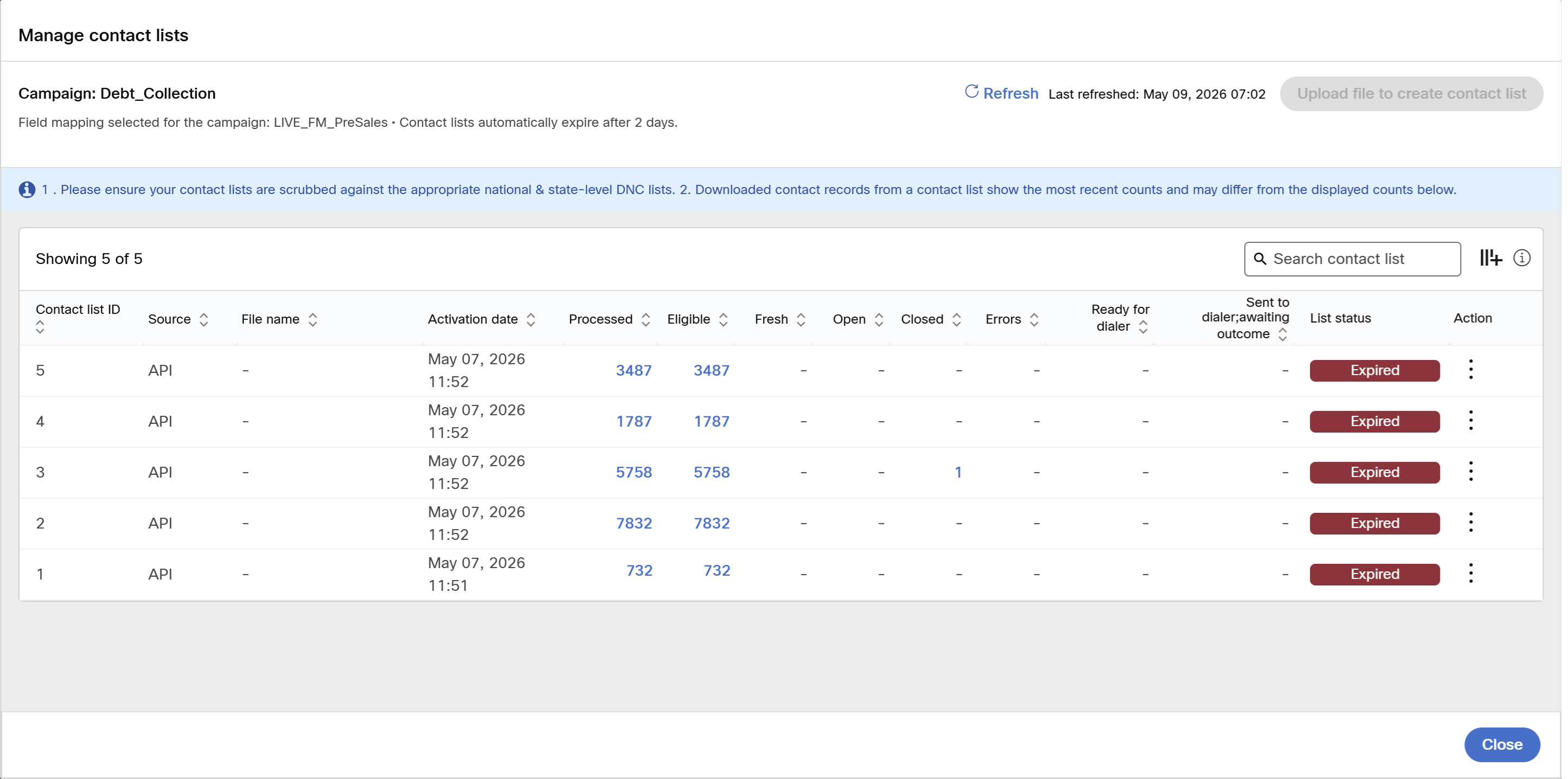
The Manage Contact List screen displays the contact lists that were created using APIs.
With these APIs, you can automate the creation and management of your campaign contact lists without the need for a human user to manually upload the contact lists. You can also support use cases such as the following scenario:
let's say a bank's core debt accounting system every morning generates a file of customers whose debt payment is overdue, and this file is then used to automatically create a contact list for a 'debt-collection campaign' using the SFTP upload method. During the day, one of these customers may make the debt instalment payment online or in a bank branch office. In this case, you can write an application to invoke the 4th API in the above list to 'close the contact record' for this customer who no longer needs to be called as their debt payment is no longer overdue.
Updated about 1 month ago