
Campaign chaining
Campaign Chaining is an outbound campaign management feature designed to optimize how contacts are handled across multiple campaigns.
It allows organizations to dynamically transfer contacts between campaigns based on specific agent wrap-up codes and telephony outcomes. The transferred contacts are closed in source campaigns and are created as fresh in target campaigns.
What is Campaign chaining?
Campaign Chaining refers to the process of transferring a subset of contacts from one campaign (the source) to another campaign (the target or chained campaign) based on the specified chaining criteria which are typically wrap-up codes or telephony outcomes.
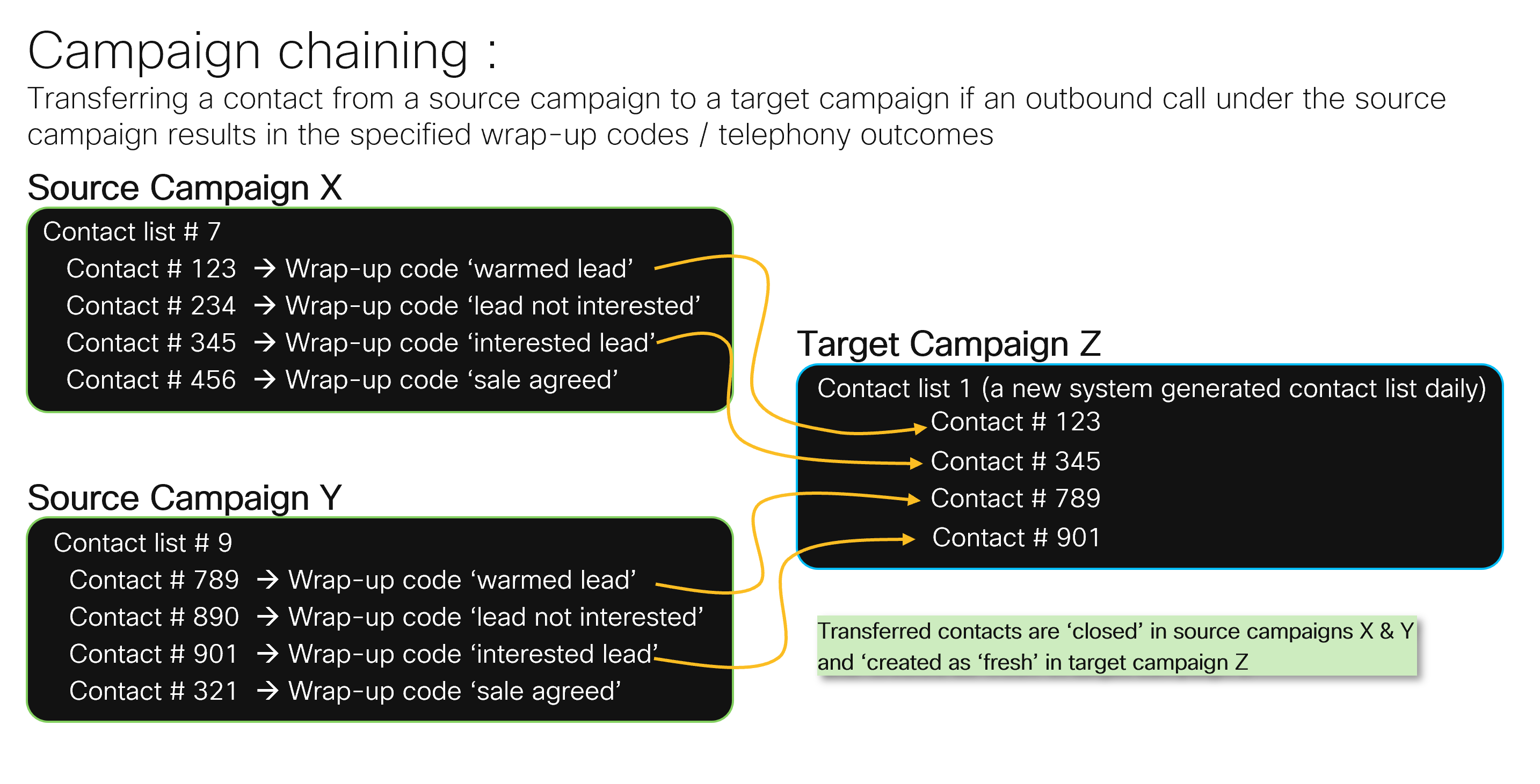
Chaining can occur between campaigns having different dialing modes.
In the above scenario, within Campaign X (a 'Progressive' campaign), the call center agent marked two contacts as 'warm lead' and 'interested lead'. Based on the selected wrap-up codes, these contacts are automatically transferred to Campaign Z (a 'Preview' campaign).
Similarly, in Campaign Y (a 'Predective' campaign), two contacts are marked as 'warm lead' and 'interested lead', and these contacts are also transferred to Campaign Z.
These four transferred contacts will be created as 'Fresh' in the target Campaign.
Campaign chaining helps in multiple use cases , a few of them are mentioned below :
- Enhanced Lead Management: Focuses follow-up efforts only on promising leads, reducing wasted agent time.
- Automation: Automates the movement of contacts, reducing manual errors and administrative overhead.
- Sales optimization: Enables multi-stage sales processes, improving the quality and effectiveness of engagements.
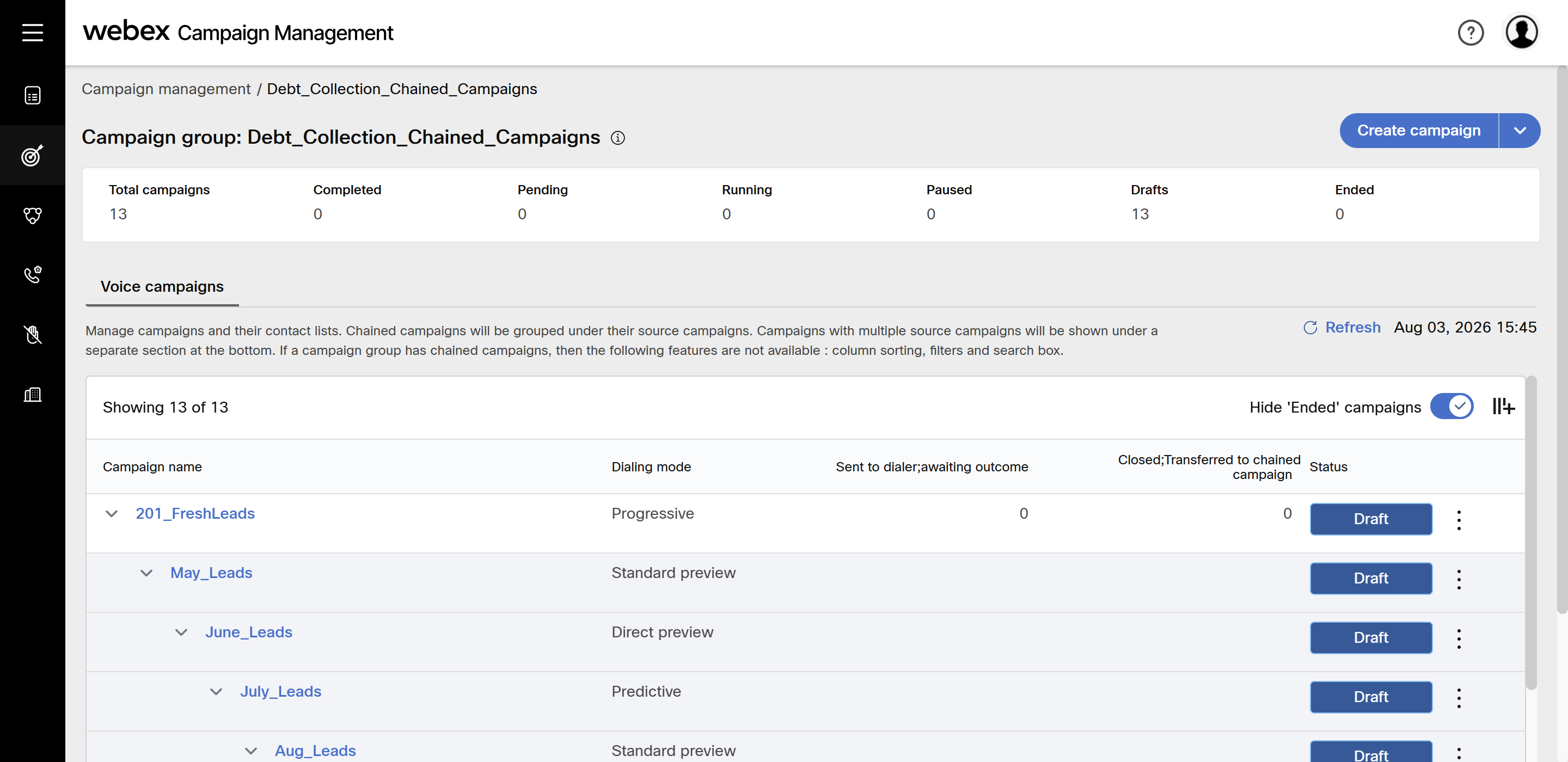
Create a chained campaign
- On the campaign group list screen, click Create chained campaign. The campaign configuration screen appears with placeholder nodes to configure.
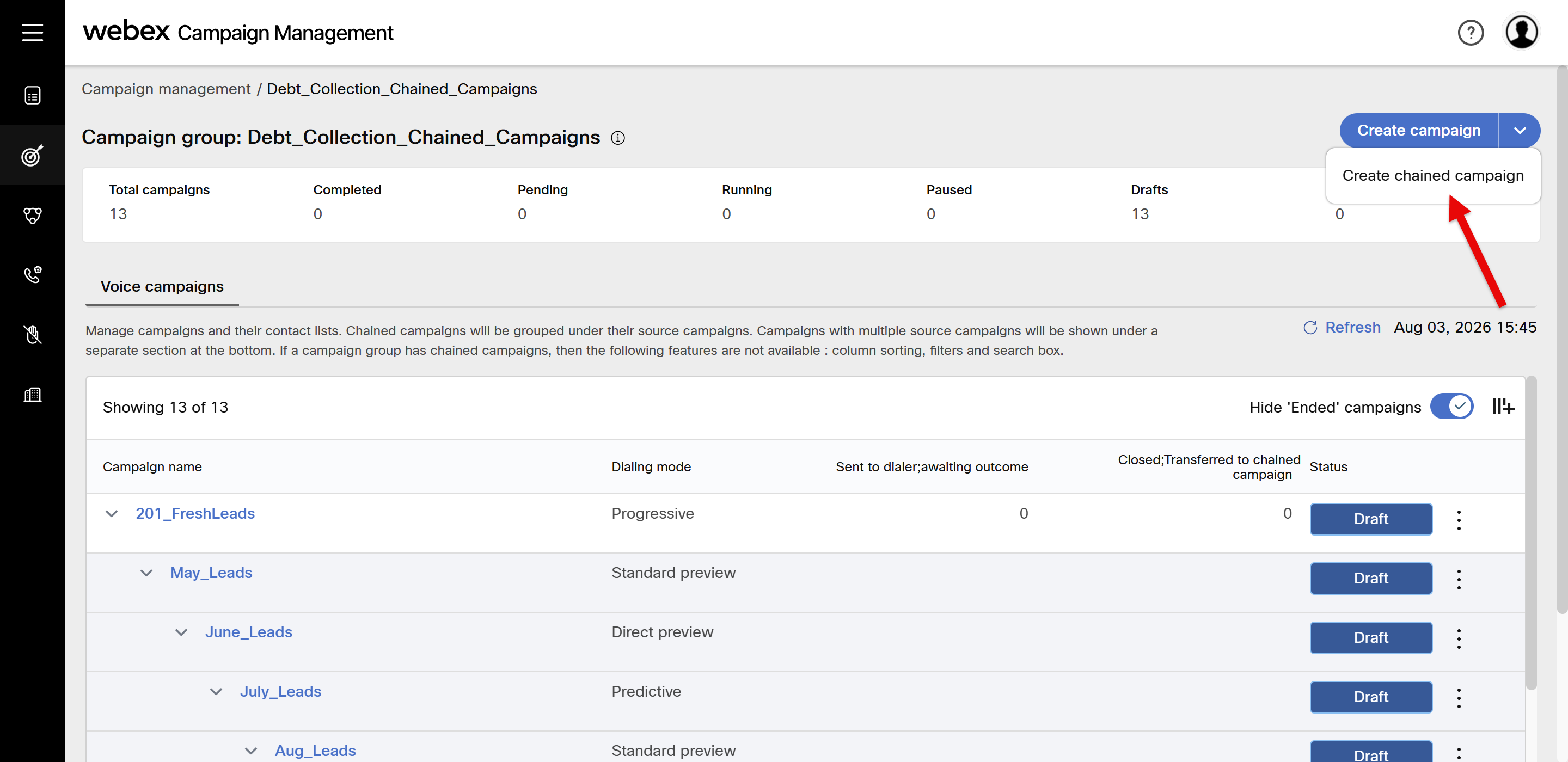
- Configure Dialer configuration node and click Save changes.
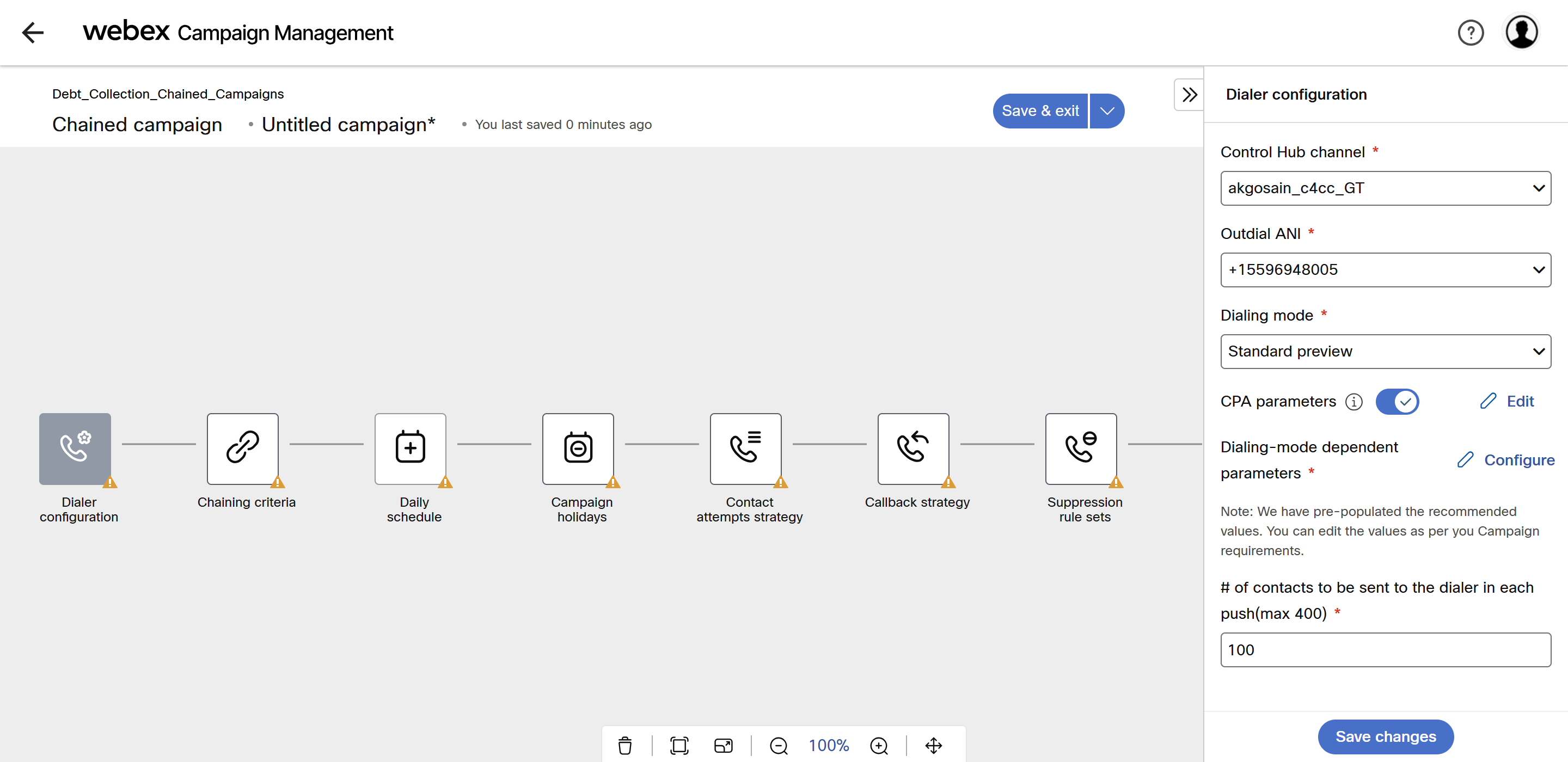
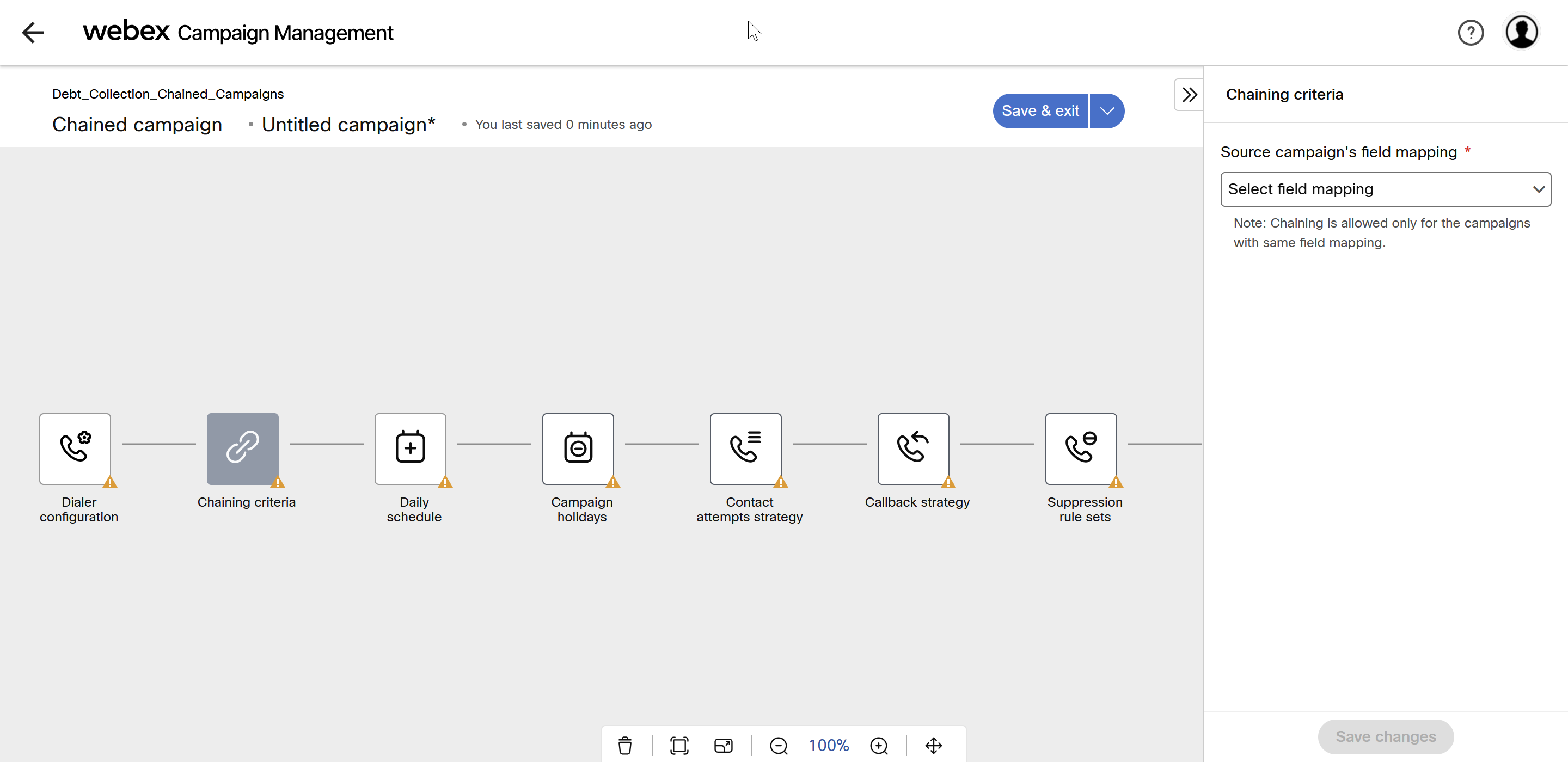
- Click on Chaining criteria node and select the Field mapping from the drop-down.
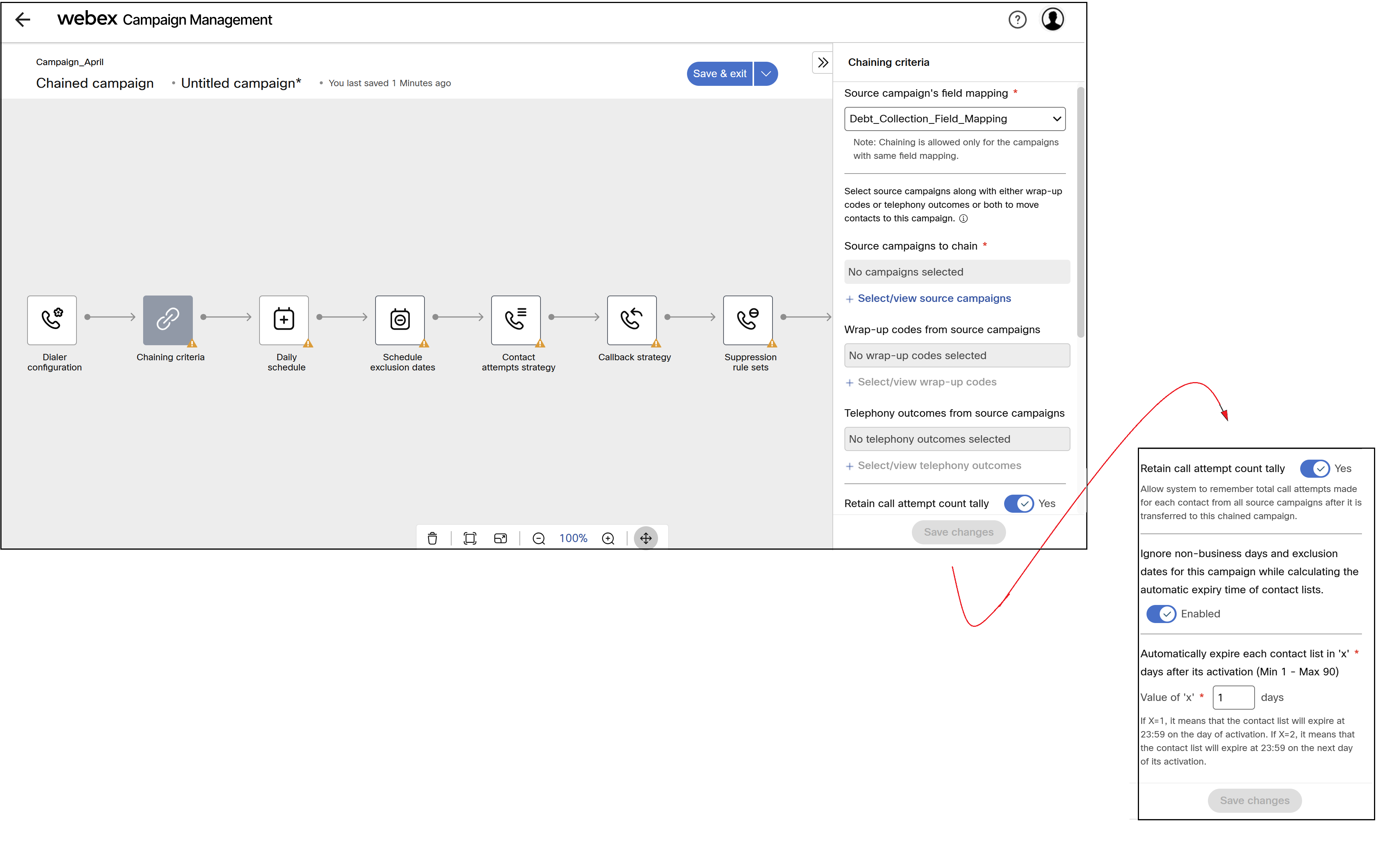
- The screen will display you to select the campaigns whose contacts to be transferred to new campaign. You also need to select the wrap-up code and telephony-outcome.
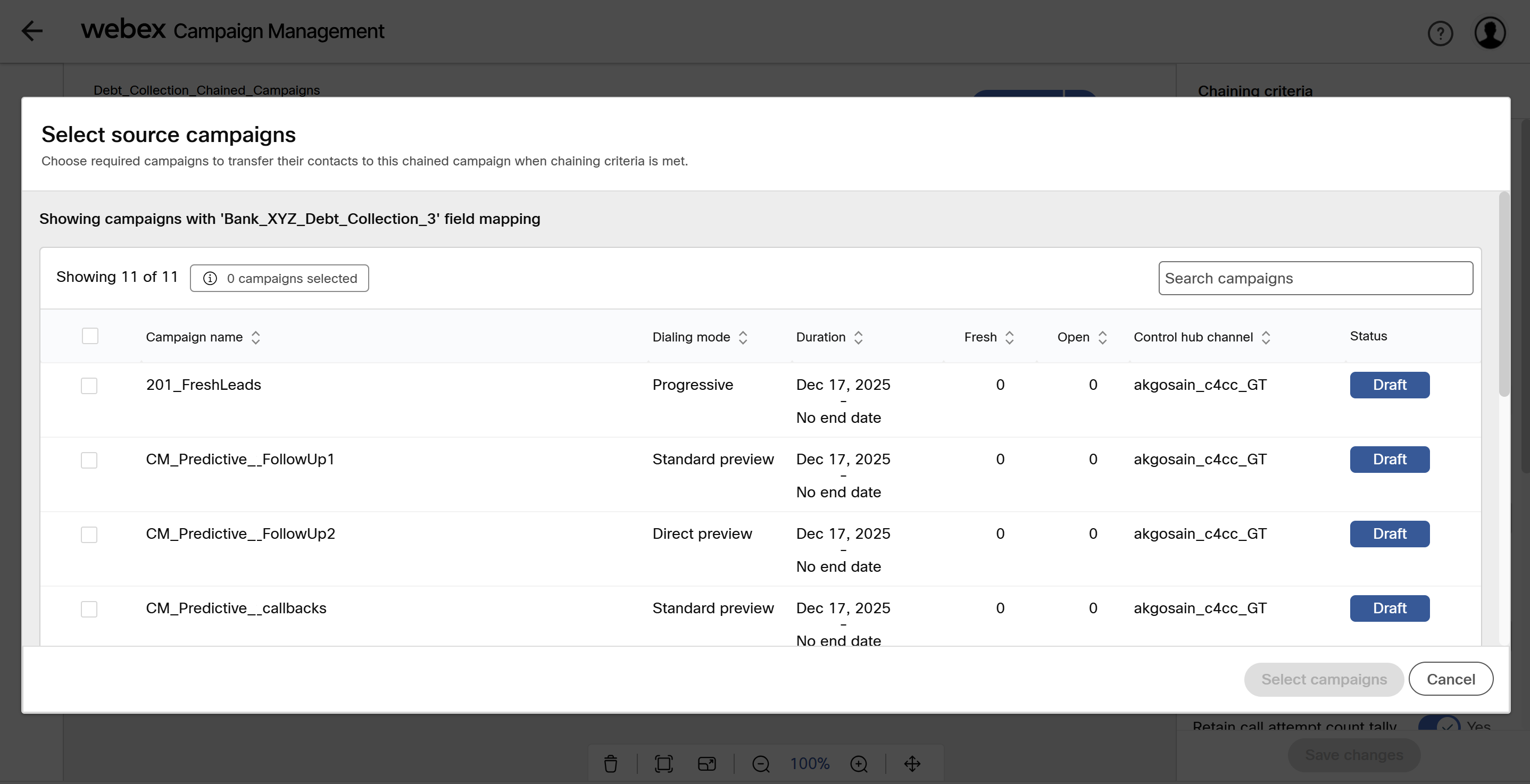
- You can select ore or more campaigns and click Select campaigns. The contacts of those campaigns will be transferred to chained campaign based on the wrap-up code and telephony outcome selected in the next steps.
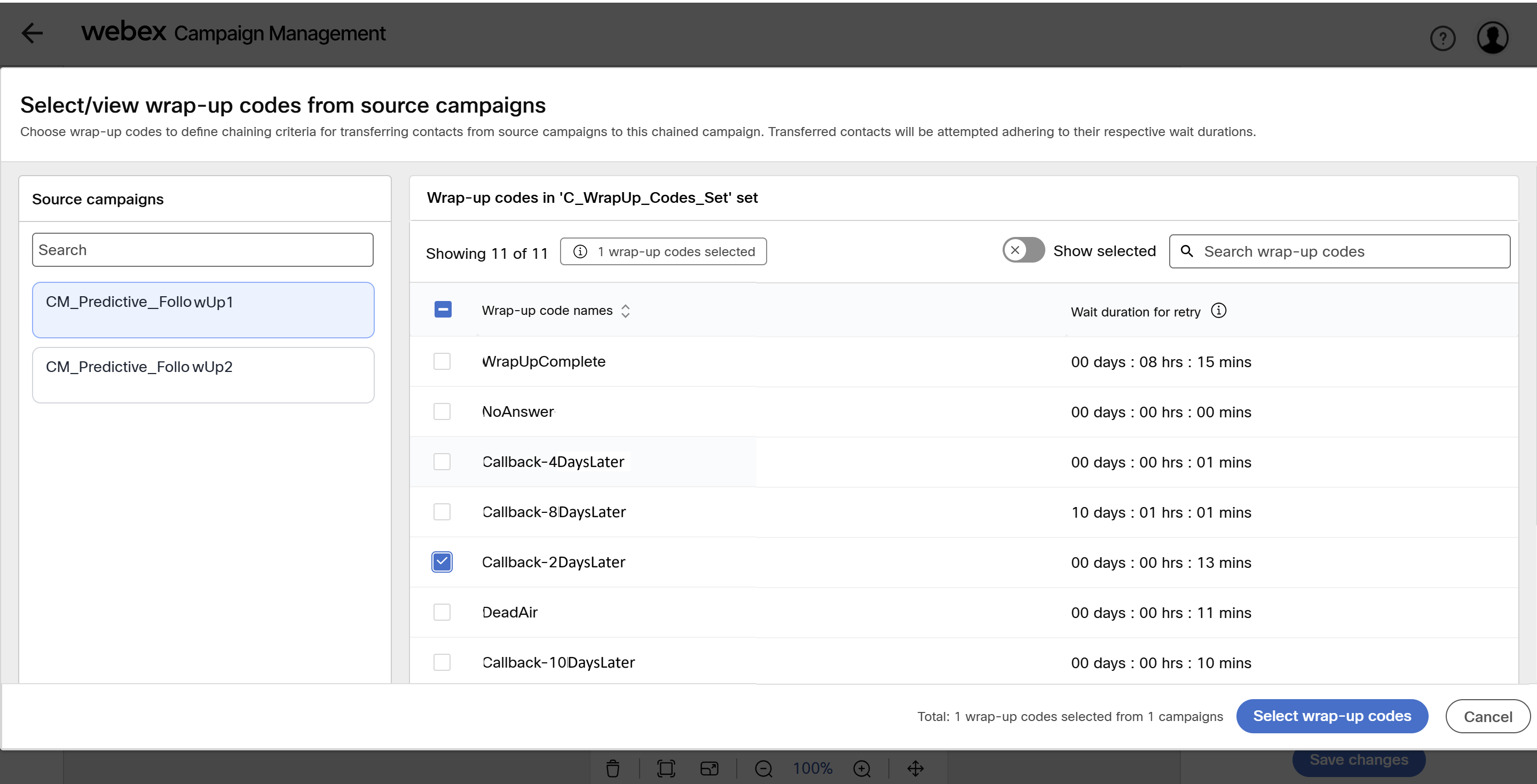
- Click Select/view wrap-up codes and select the required wrap-up codes and click Select wrap-up codes to save the selection.
If a wrap-up code becomes inactive, contacts with that code will not be transferred.
- Click Select/view telephony outcome and select the required telephony outcomes and click Select telephony outcomes to save the selection.
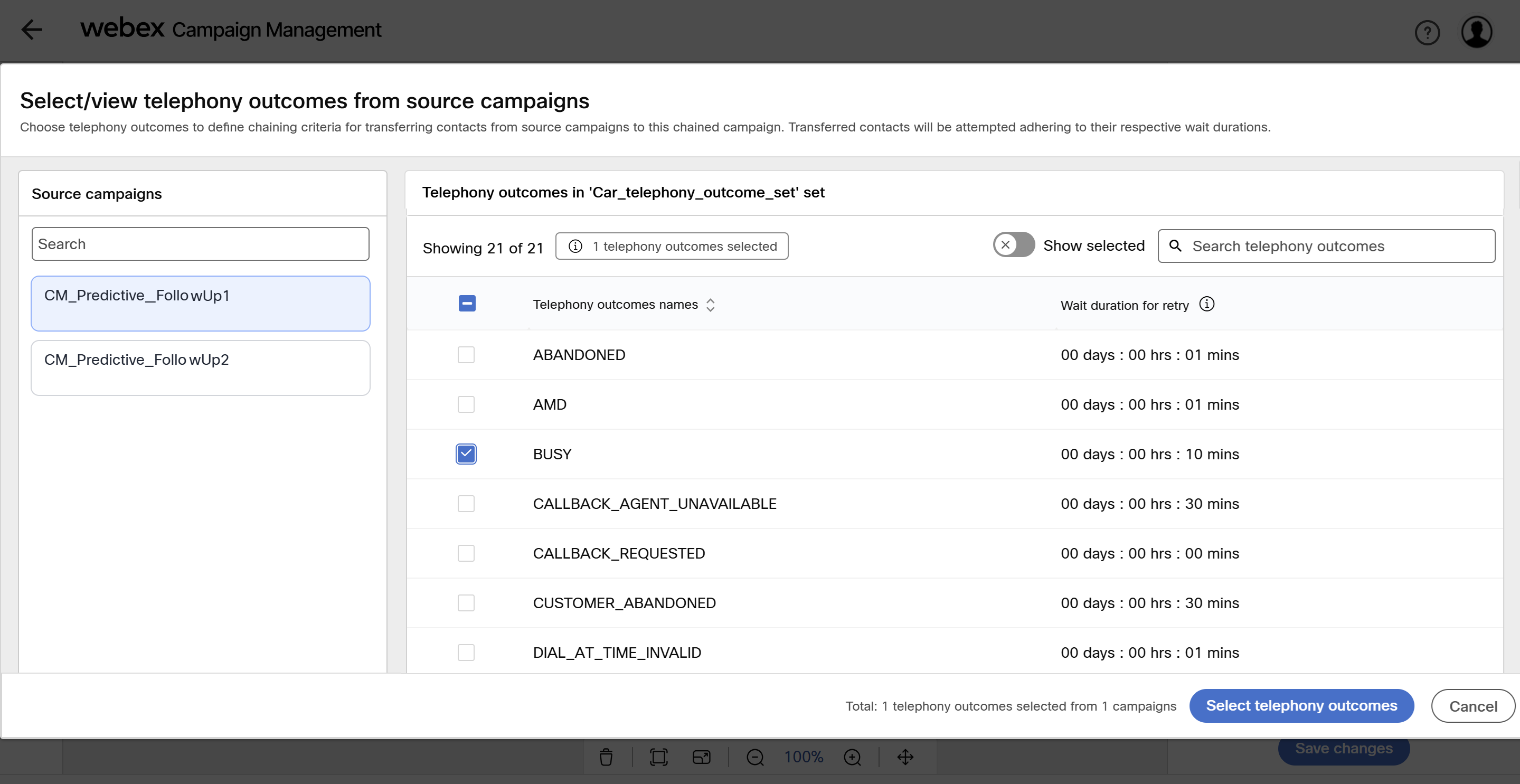
- If you want the system to remember how many times a contact was called across all source campaigns, enable Retain call attempt count tally. When disabled, the count will reset to zero in chained campaign.
- Select in how many days the contact list will expire. For example, if you enter 1, then the contact list will expire at 23:59 on the day of activation. If you enter 2, then the contact list will expire at 23:59 on the next day of its activation.
- Click Save changes.
- Continue to configure all other nodes and Activate the campaign.
Source campaigns cannot be deleted once chianed.
Usage notes:
-
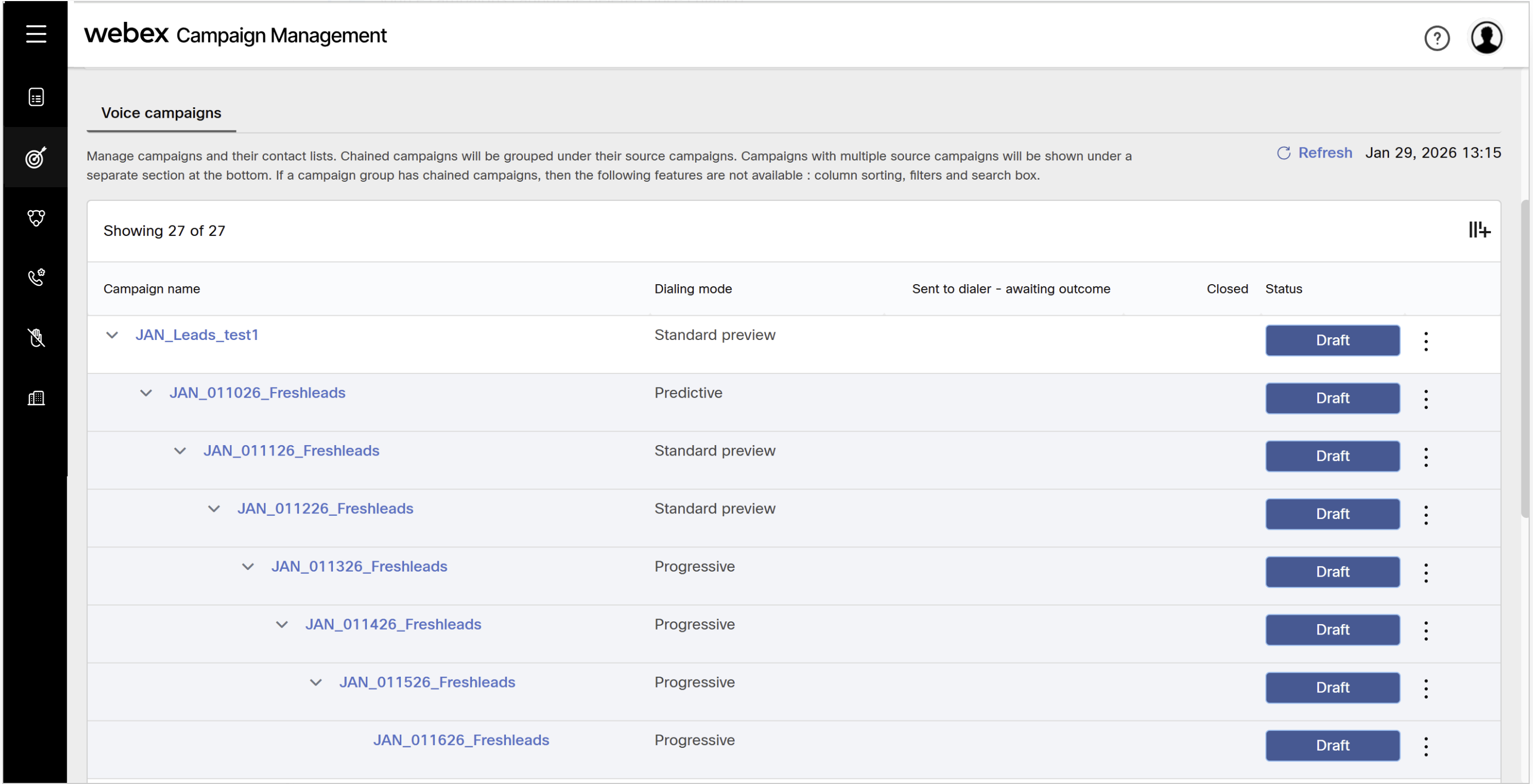
If a campaign group has campaign chaining , the filters in the campaign details listing grid will not be accessible.
-
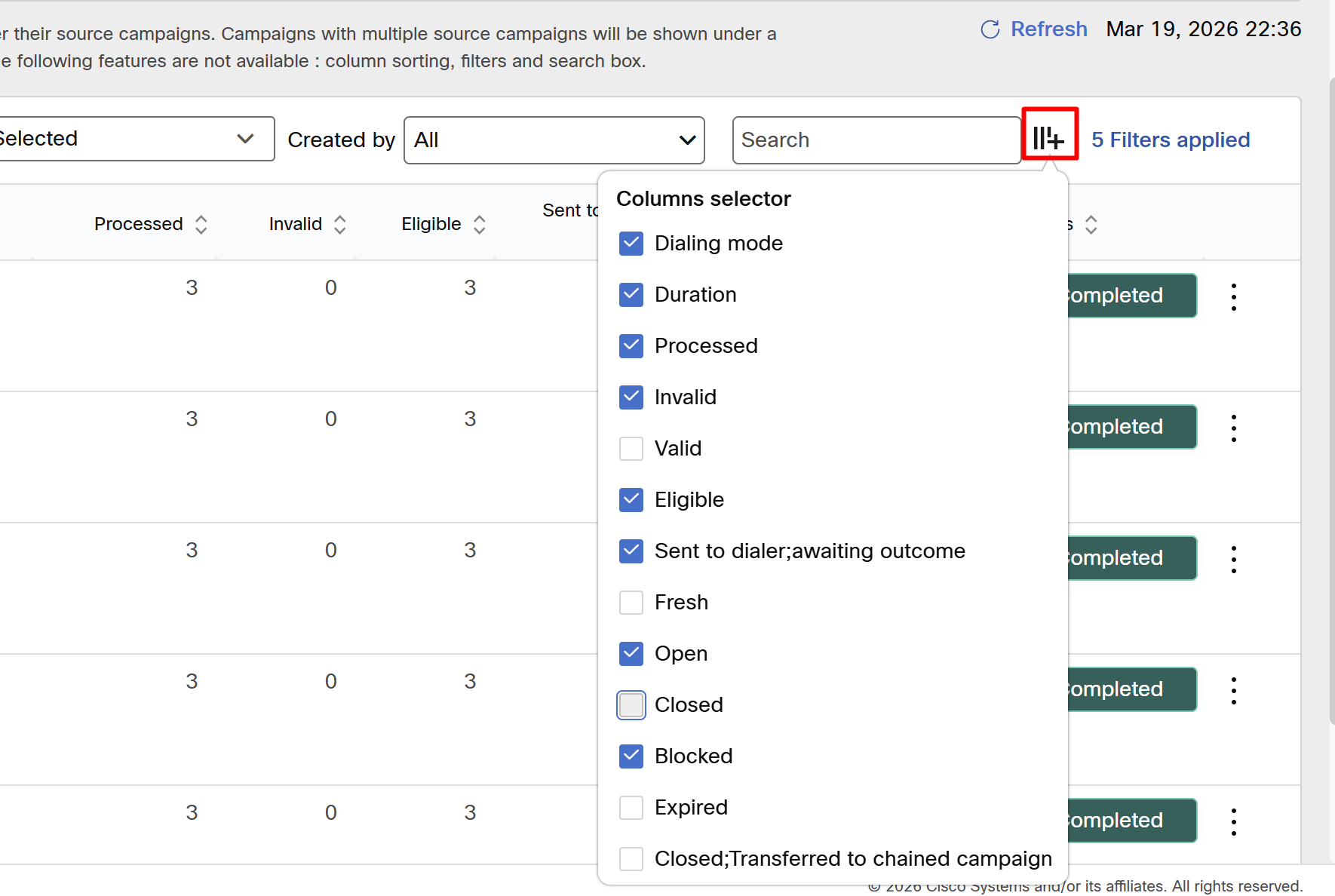
A new columns in the Campaign details grid is added i.e. 'Closed-Transferred to chained campaign' - This column shows the # of contact which are transferred to the chained campaign. This column is also available in the 'Manage contact list' which can be useful to understand how many contacts have moved to a chained campaign from the respective contact list.
-
In chained campaigns, each day a contact list will be created. All the contacts which satisfy the chaining criteria will be added to this list , however each contact list in the chained campaign will expire based on the automatic expiry specified in the contact list node.
-
You cannot upload a contact list manually in a child chained campaign.
-
You cannot add contact to the chained campaign's contact list using API.
-
In the chained campaign's chaining criteria node, you can choose up to 15 campaigns as source campaign.
-
You will only be able to select those source campaigns which have the same field mapping which you have selected in the chaining criteria node.
-
Contacts from source campaigns below will be 'Closed and transferred' to the chained campaign if a call attempt results in one of the selected wrap-up codes or telephony outcomes.
-
At least one source campaign should have minimum one wrap-up codes or telephony outcome specified in the chaining criteria to be able to save the chaining campaign.
-
If the campaign is a 'Simple chain' i.e. has only one source campaign, then once this chained campaign is saved, it will be displayed under its respective source campaign.
-
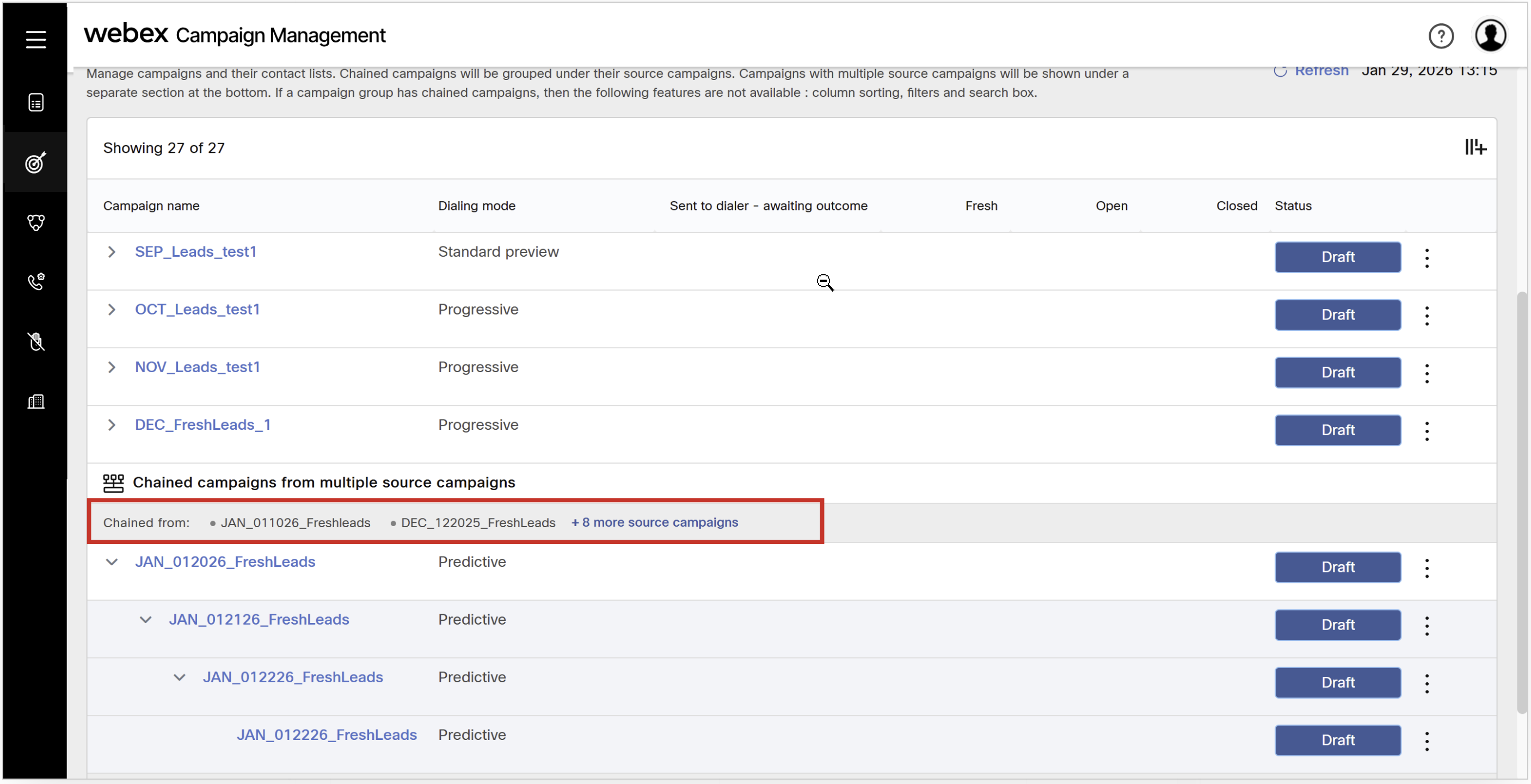
If a campaign is a 'Shared chain' i.e. has multiple source campaign , then once this chained campaign is saved, it will be displayed at the bottom of the grid where you can see all the source campaigns and its respective contact list in the bar above.
-
To maintain a clean UI, if a chain has more than 5 campaigns the columns in the grid will be hidden. You can always visible using the column selector.
Updated about 2 months ago