
Search contacts within a campaign
After a campaign is activated and executed, you may need to check the status of a specific contact. For example, a contact with a low credit score. In these cases, you can search for the contact using their mobile number or any contact attribute (such as field-mapping or system attributes).
Follow these steps to search contacts:
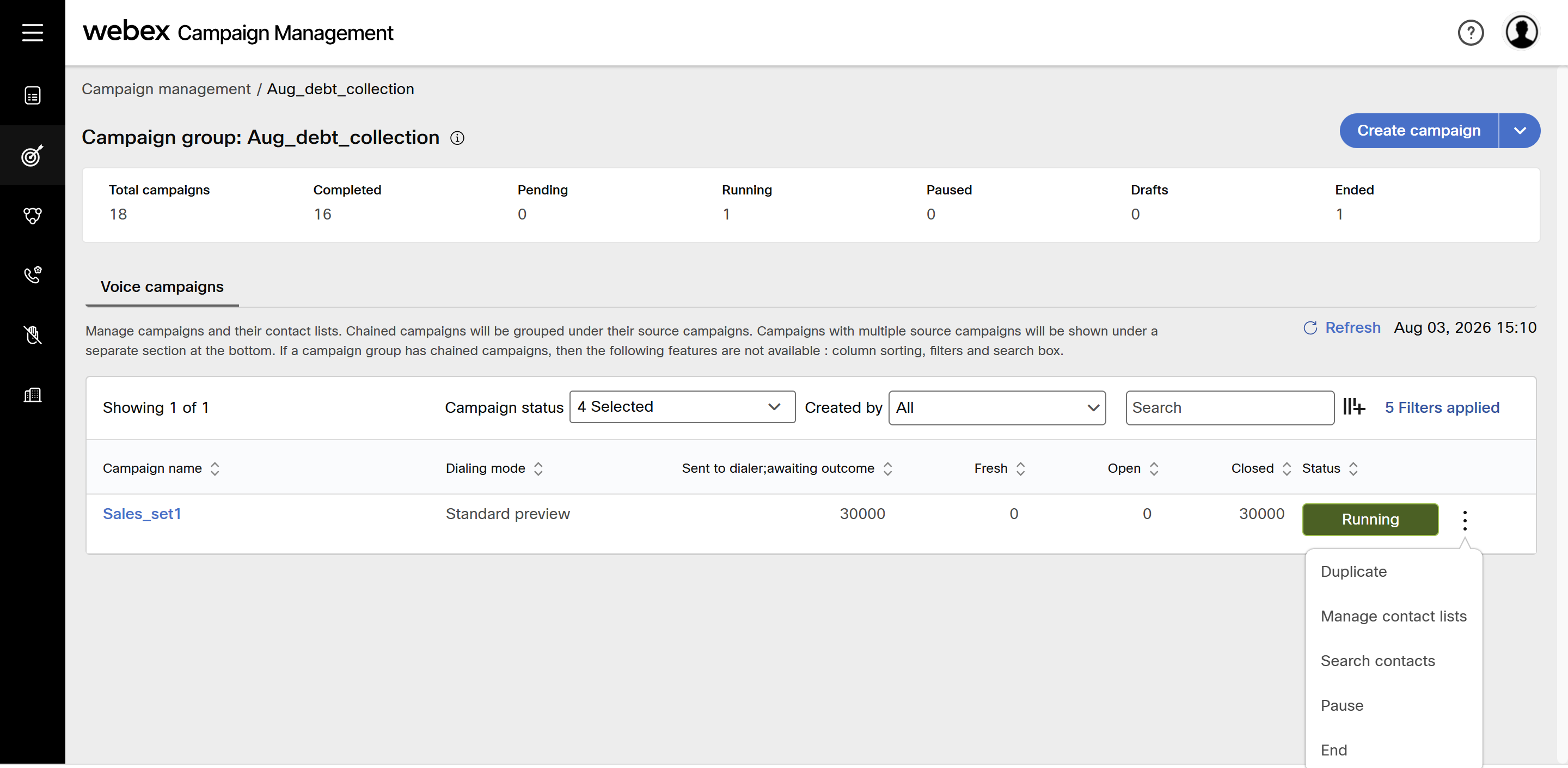
- Click on the ellipse icon of the campaign and click Search contacts.
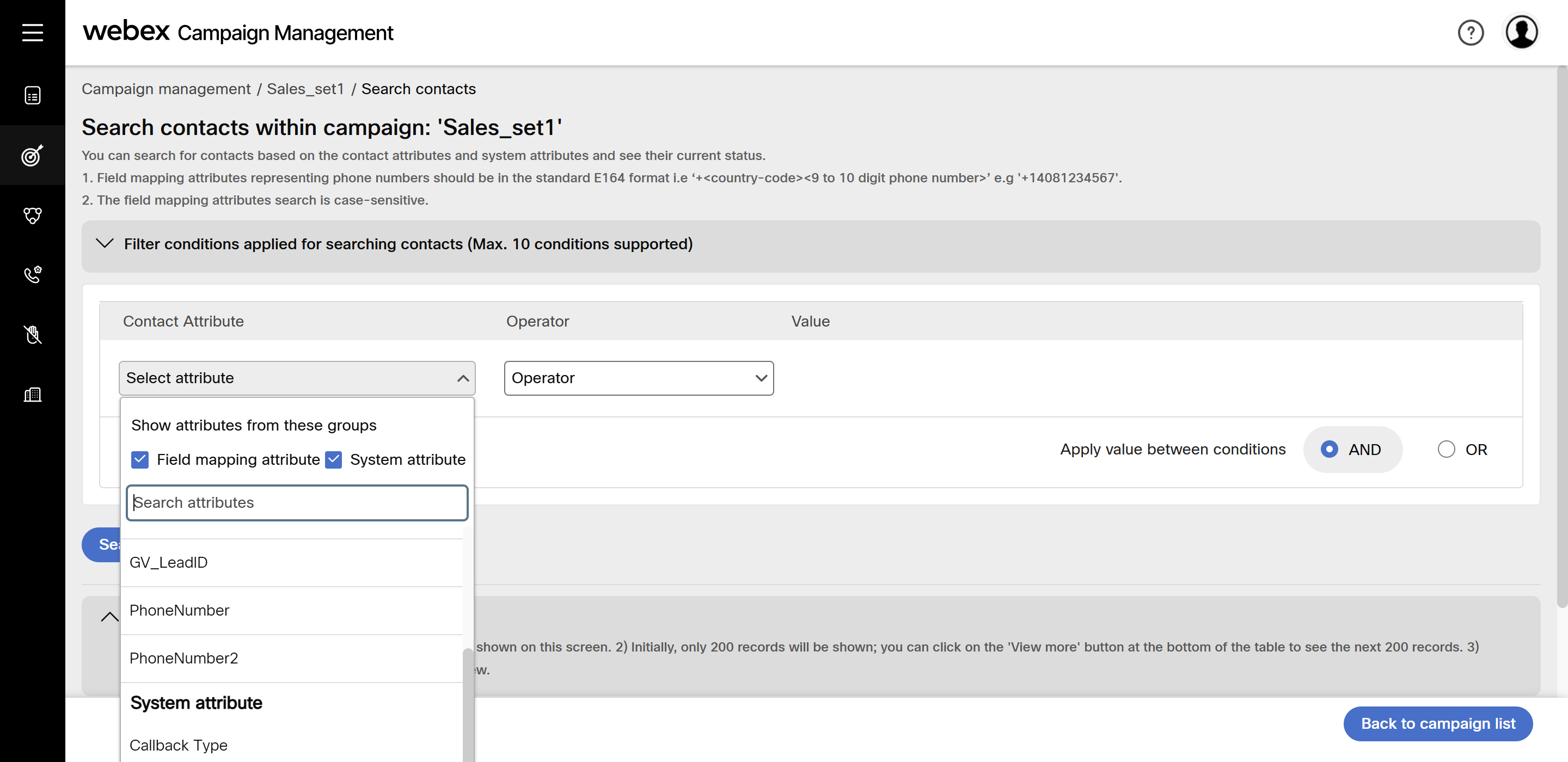
- Select the attribute and select the appropriate operator. You can apply conditions as per your use case.
- Click Search contacts.
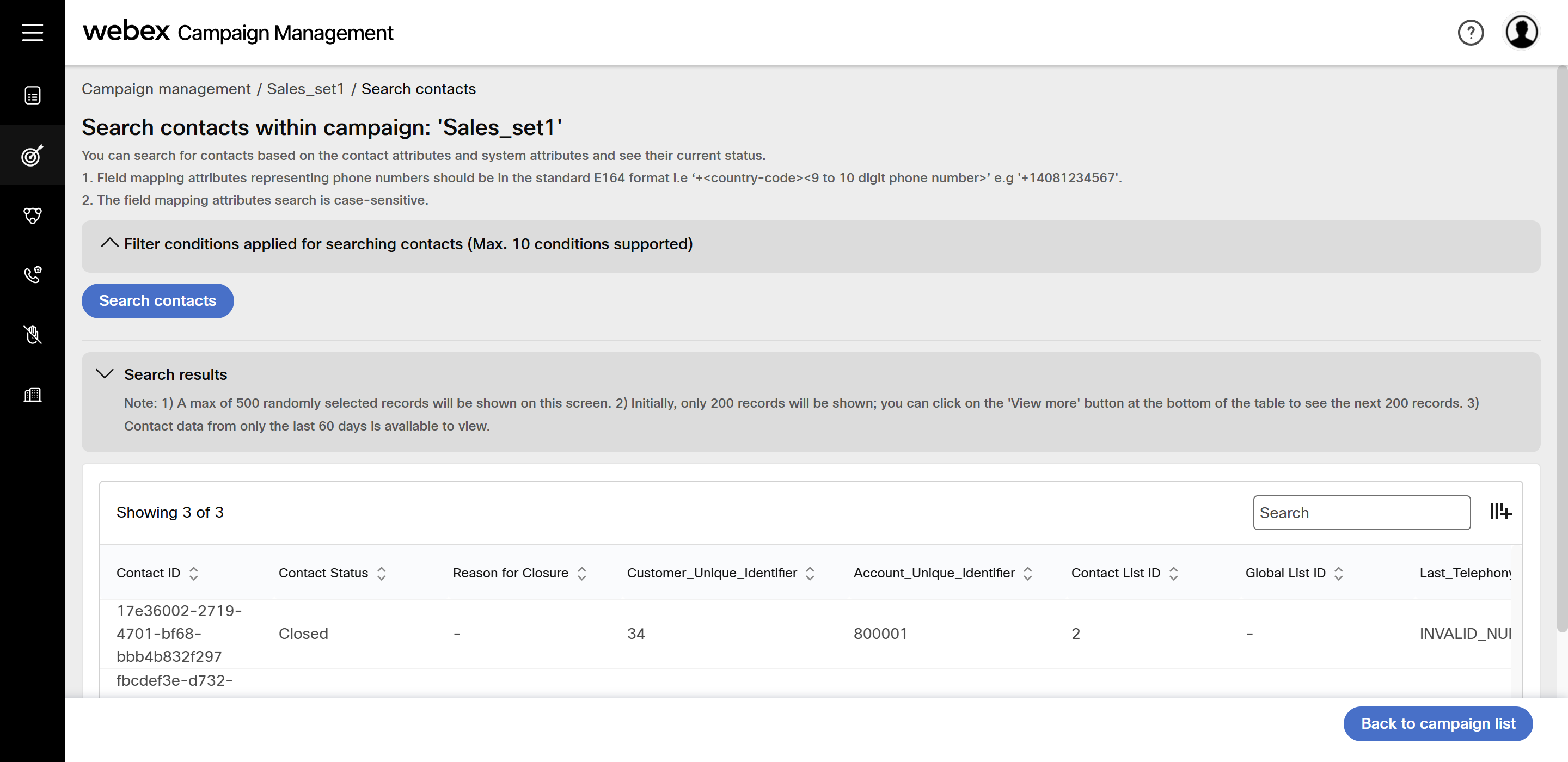
The results will be displayed. You can also hide headers on the screen using the icon next to search textbox.
Updated about 2 months ago
Did this page help you?