
Callback Strategy
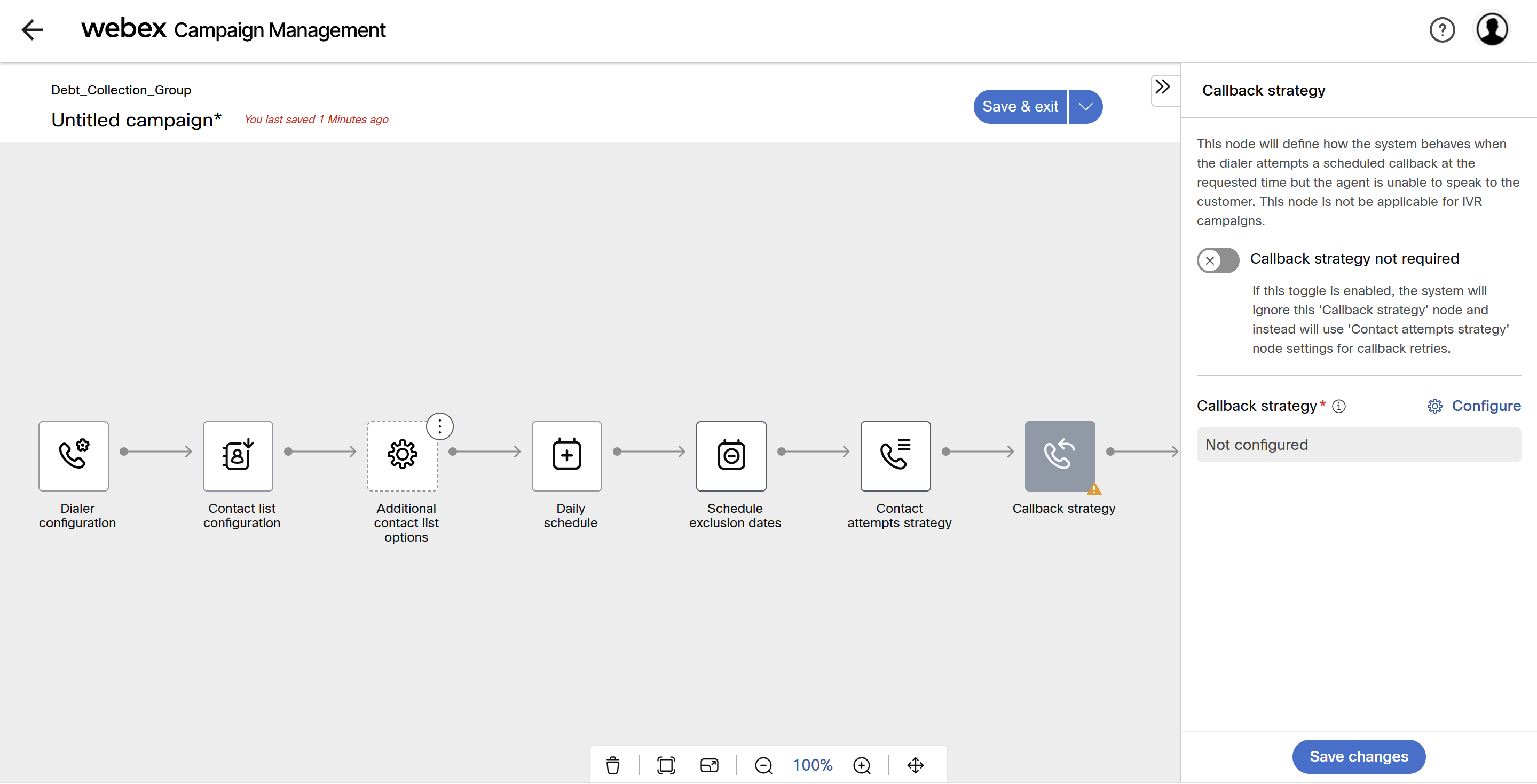
This node allows you to configure how the system behaves when the dialer attempts a scheduled callback at the requested time but the agent is unable to speak to the customer. This node is not applicable for IVR campaigns.
If this toggle is enabled, the system will ignore this 'Callback strategy' node and instead will use 'Contact attempts strategy' node settings for callback retries.
Important Note:
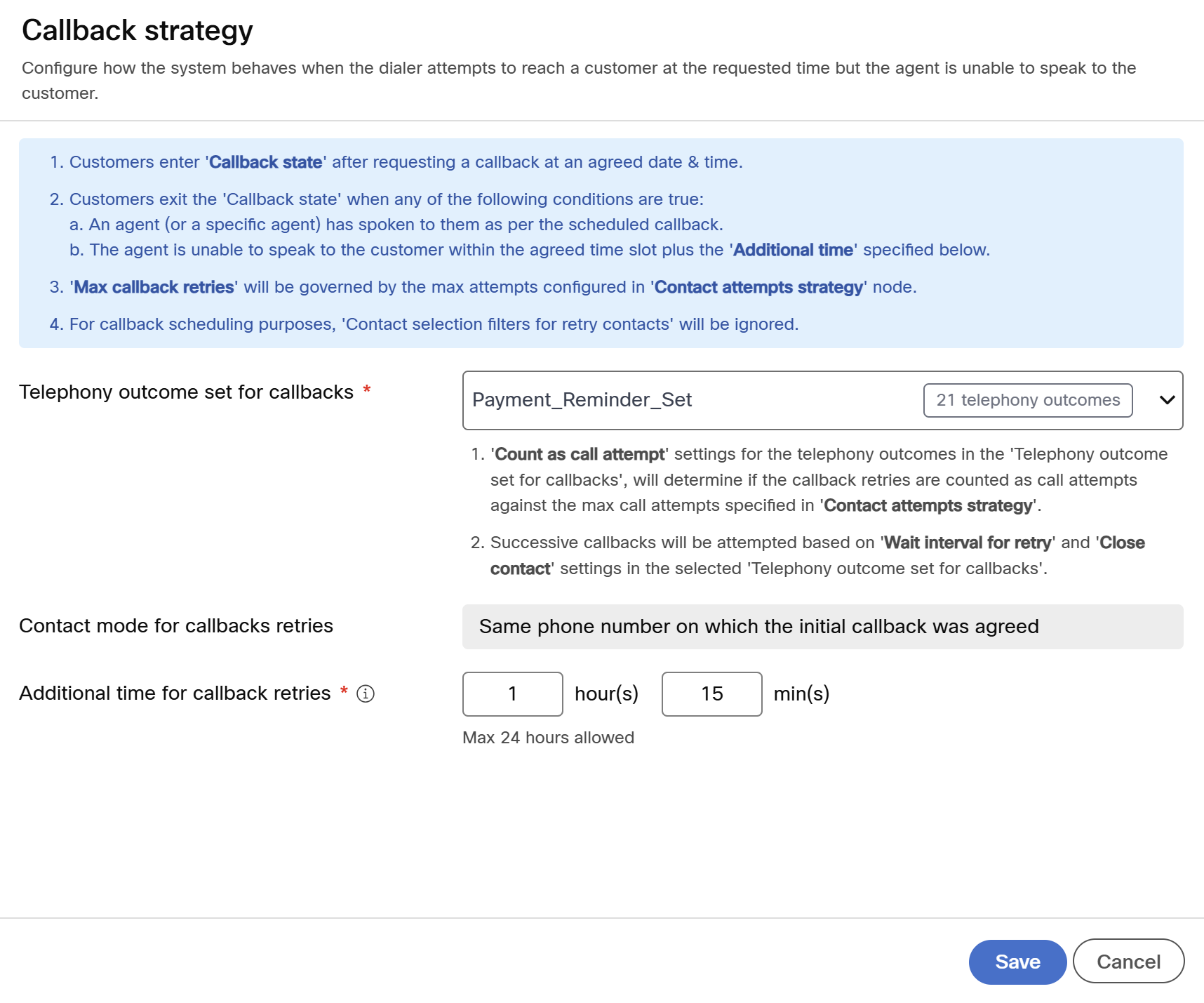
- Customers enter "Callback state" after requesting a callback at the agreed date and time.
- Customers exit the "Callback state" when any of the following conditions are true:
- An agent (or a specific agent) has spoken to the customer as per the scheduled callback.
- The agent is unable to speak to the customer within the agreed time slop plus the "Additional time" configured in the node.
- "Count as call attempt" settings for the telephony outcomes in the "Telephony outcome set for callbacks", will determine if the callback retries are counted as call attempts against the max call attempts specified in "Contact attempts strategy".
- Successive callbacks will be attempted based on "Wait interval for retry" and "Close contact" settings in the selected "Telephony outcome set for callbacks".
Follow these steps to define the Contacts attempt strategy:
- Select the Callback strategy node, the right pane will display the option to configure.
- If you do not want to configure call back strategy enable the toggle button.
- Click on the Configure.
- On the Callback strategy screen, define the following:
- Telephony outcome set for callbacks: Select the telephony outcome set from the drop-down.
- Additional time for callback retries: Enter additional time for callback retries after the agreed time slot for callback is completed.
- Click Save.
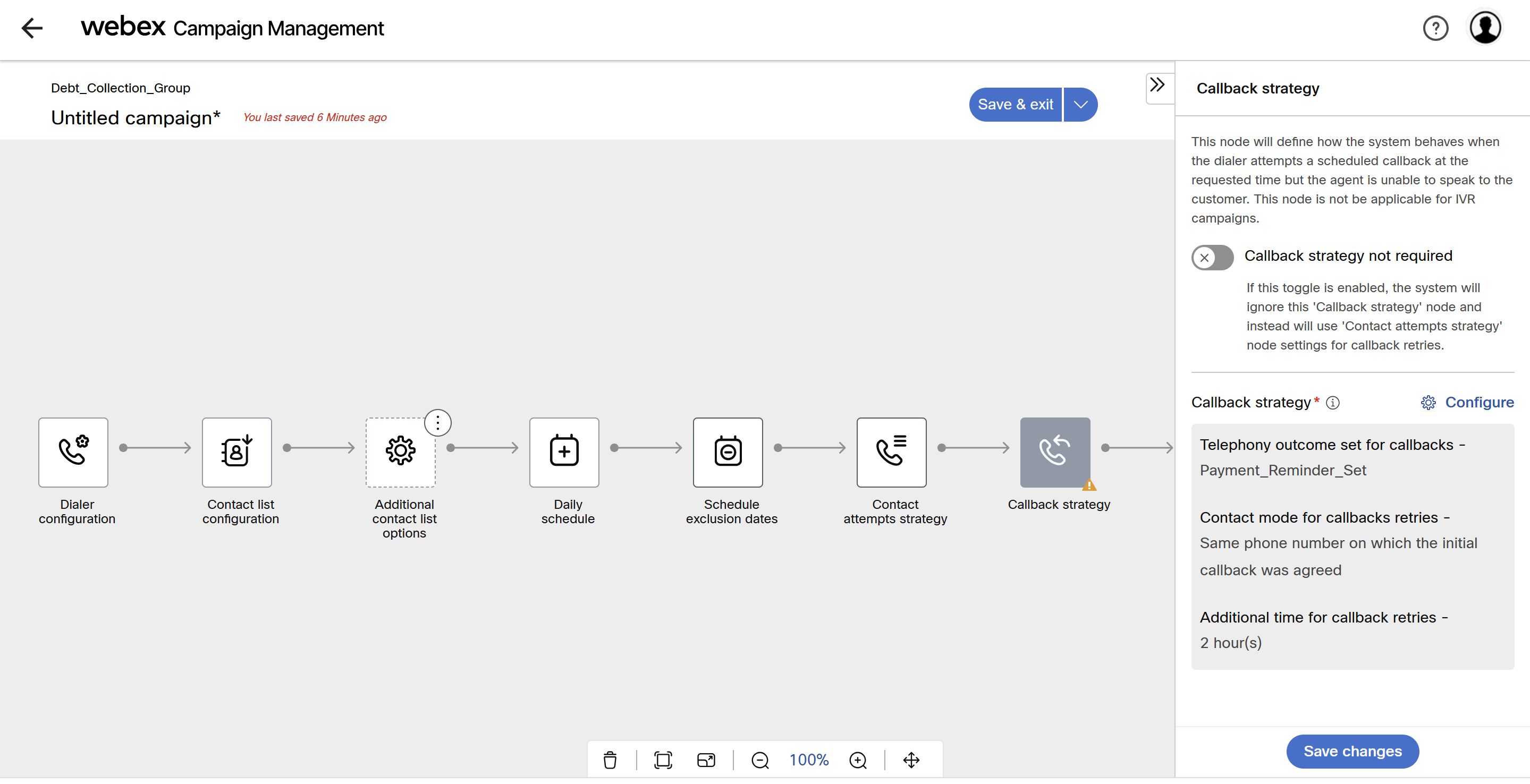
- Click Save changes.
Updated 3 months ago
Did this page help you?