
Holidays for all campaigns
This feature allows you to pause campaigns on specific days to avoid contacting customers on inappropriate dates, such as national holidays. These holidays apply to all campaigns.
For example, if you do not want campaigns to call contacts on Thanksgiving Day, you can configure Thanksgiving Day as a holiday for that year. Campaigns will then exclude that date from calling.
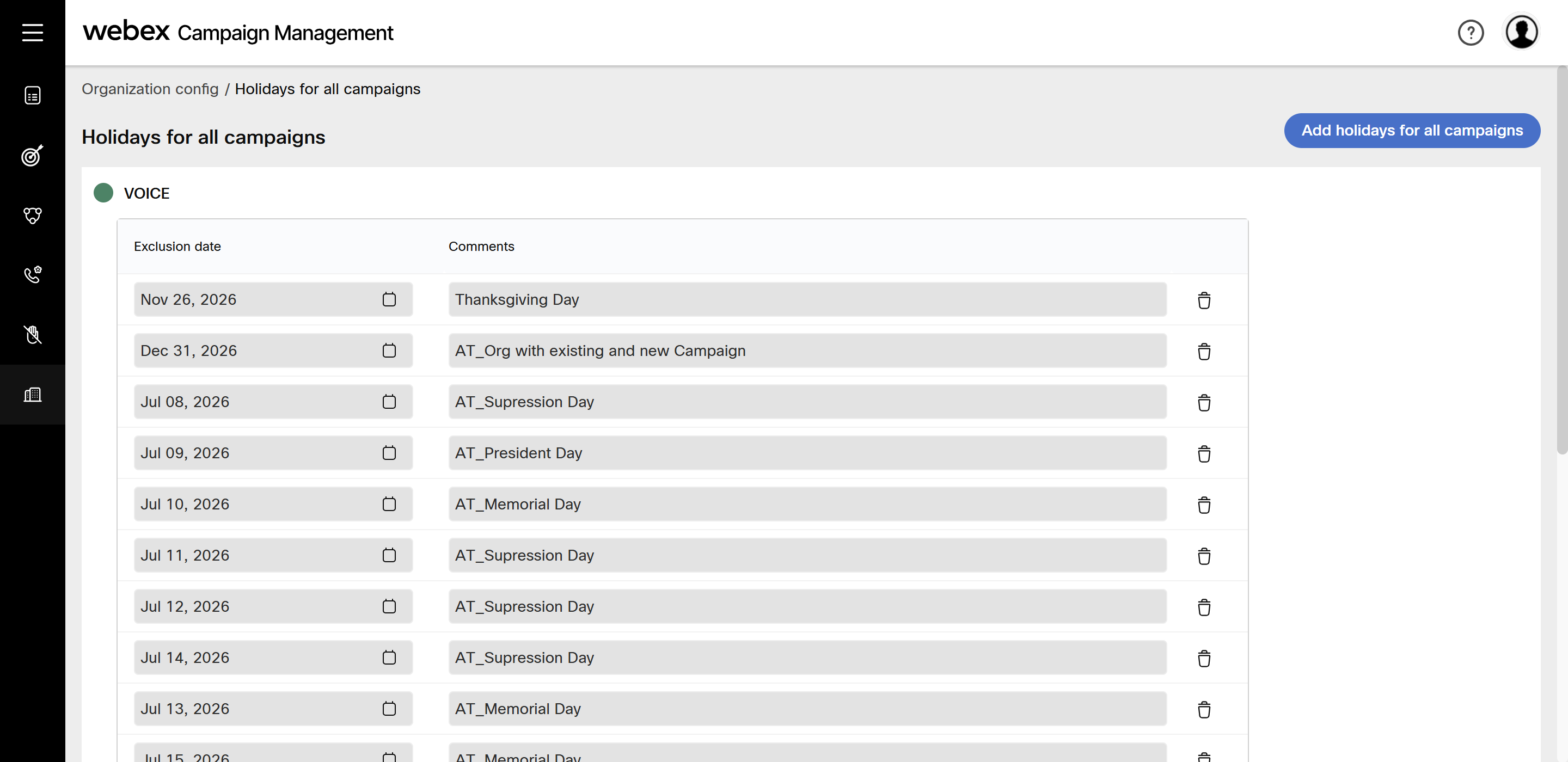
The exclusions are based on the configured time-zone.
During holidays, campaigns that are running will change their status to Pending and the execution is stopped. Once the holiday has expired, the campaign automatically acquires Running status, and the execution is resumed.
Add a holiday for all campaigns
- Navigate to Organization config and click Holidays for all campaigns.
- Click Add holidays for all campaigns.
- Enter details for the following fields:
- Exclusion date: Select the date to be excluded through the Calendar icon.
- Description: Enter a meaningful description.
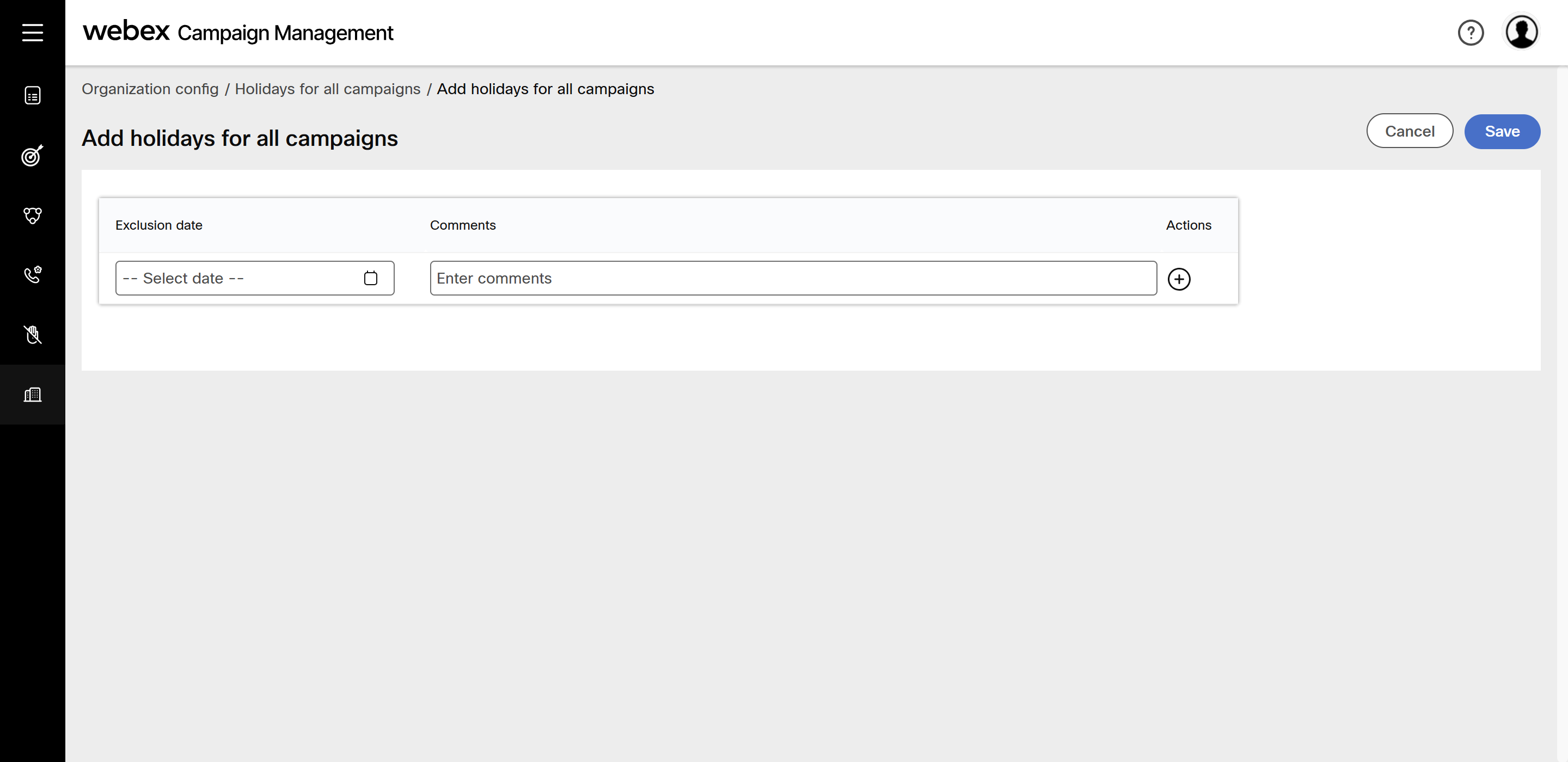
- Click Save.
Newly added holidays are not automatically applied to running or drafted campaigns. You have to manually edit each campaign to include them. This behavior is intentional to prevent unintended changes to campaigns owned by other users.
Delete a holiday
- Navigate to Organization config and click Holidays for all campaigns.
- Click the Delete icon of the required exclusion day.
Updated 3 months ago